I have successfully configured PBS with a local disk for backups, and all of my PVE VMs get backed up just fine.
Now I'm trying to add a second datastore to PBS that is a CIFS share on a Synology DS1522 instead of a disk local to PBS. Whenever I try to run a backup from PVE with that datastore as a target the backup job aborts with backup write data failed: command error: write_data_upload error: pipelined request failed: inserting chunk on <datastore> failed.
This happens from multiple PVE sources.
On PBS, the CIFS-shared datastore is listed under Datastore, the summary data shows an appropriate amount of storage used/available, and the Content pane shows alll my VMs. So I believe the datastore is connected correctly. If I go to the Synology and view the contents of the VM directory, I see the lots of empty backup files, so PBS isn't sending the backups (as expected due to the above error).
pveversion of the PVE machines is pve-manager/9.0.11/ (running kernel 6.14.11-4-pve).
pveversion command is not available on PBS, but the PBS machine is running kernel 6.14.11-4.
I tried to research this, and mostly what I found is that this may be a permissions problem, but I can't find it. On PBS, the CIFS mount point is owner/group "backup" and the permissions are drwxr-xr-x. On the Synology, the CIFS share is allowed for the credentials of the directory which is mounted on PBS.
If instead of trying to backup from PVE through PBS to the Synology, I create a datastore under PVE that points directly to the Synology. When I do this, backups work fine. But I lose the functionality that PBS provides doing it this way.
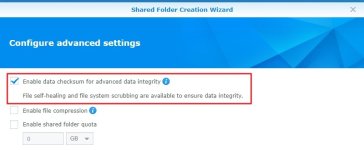
In case it matters, the Synology uses BTRFS.
I do not know what other information to provide to get help, but I'm happy to provide anything anyone asks for.
Thank you very much.
Now I'm trying to add a second datastore to PBS that is a CIFS share on a Synology DS1522 instead of a disk local to PBS. Whenever I try to run a backup from PVE with that datastore as a target the backup job aborts with backup write data failed: command error: write_data_upload error: pipelined request failed: inserting chunk on <datastore> failed.
This happens from multiple PVE sources.
On PBS, the CIFS-shared datastore is listed under Datastore, the summary data shows an appropriate amount of storage used/available, and the Content pane shows alll my VMs. So I believe the datastore is connected correctly. If I go to the Synology and view the contents of the VM directory, I see the lots of empty backup files, so PBS isn't sending the backups (as expected due to the above error).
pveversion of the PVE machines is pve-manager/9.0.11/ (running kernel 6.14.11-4-pve).
pveversion command is not available on PBS, but the PBS machine is running kernel 6.14.11-4.
I tried to research this, and mostly what I found is that this may be a permissions problem, but I can't find it. On PBS, the CIFS mount point is owner/group "backup" and the permissions are drwxr-xr-x. On the Synology, the CIFS share is allowed for the credentials of the directory which is mounted on PBS.
If instead of trying to backup from PVE through PBS to the Synology, I create a datastore under PVE that points directly to the Synology. When I do this, backups work fine. But I lose the functionality that PBS provides doing it this way.
In case it matters, the Synology uses BTRFS.
I do not know what other information to provide to get help, but I'm happy to provide anything anyone asks for.
Thank you very much.
Last edited: