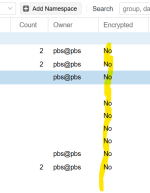
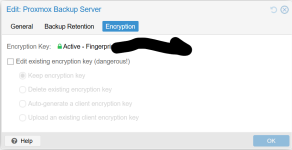
INFO: starting new backup job: vzdump 100 101 103 --node prox --fleecing 0 --compress zstd --storage pbs --notification-mode notification-system --notes-template '{{guestname}}' --mode snapshot --all 0
INFO: Starting Backup of VM 100 (lxc)
INFO: Backup started at 2026-01-26 08:27:20
INFO: status = running
INFO: CT Name: teo
INFO: including mount point rootfs ('/') in backup
INFO: excluding bind mount point mp0 ('/mnt/usb-LaCie') from backup (not a volume)
INFO: backup mode: snapshot
INFO: ionice priority: 7
INFO: create storage snapshot 'vzdump'
  WARNING: You have not turned on protection against thin pools running out of space.
  WARNING: Set activation/thin_pool_autoextend_threshold below 100 to trigger automatic extension of thin pools before they get full.
  Logical volume "snap_vm-100-disk-0_vzdump" created.
  WARNING: Sum of all thin volume sizes (142.00 GiB) exceeds the size of thin pool pve/data and the amount of free space in volume group (16.00 GiB).
INFO: creating Proxmox Backup Server archive 'ct/100/2026-01-26T14:27:20Z'
INFO: set max number of entries in memory for file-based backups to 1048576
INFO: run: lxc-usernsexec -m u:0:100000:65536 -m g:0:100000:65536 -- /usr/bin/proxmox-backup-client backup --crypt-mode=none pct.conf:/var/tmp/vzdumptmp239592_100/etc/vzdump/pct.conf root.pxar:/mnt/vzsnap0 --include-dev /mnt/vzsnap0/./ --skip-lost-and-found --exclude=/tmp/?* --exclude=/var/tmp/?* --exclude=/var/run/?*.pid --backup-type ct --backup-id 100 --backup-time 1769437640 --entries-max 1048576 --repository pbs@pbs@pbs.home:smb-office
INFO: Starting backup: ct/100/2026-01-26T14:27:20Z
INFO: Client name: prox
INFO: Starting backup protocol: Mon Jan 26 08:27:20 2026
INFO: Downloading previous manifest (Sat Jan 24 09:59:26 2026)
INFO: Upload config file '/var/tmp/vzdumptmp239592_100/etc/vzdump/pct.conf' to 'pbs@pbs@pbs.home:8007:smb-office' as pct.conf.blob
INFO: Upload directory '/mnt/vzsnap0' to 'pbs@pbs@pbs.home:8007:smb-office' as root.pxar.didx
INFO: root.pxar: had to backup 176.873 MiB of 2.471 GiB (compressed 85.078 MiB) in 23.64 s (average 7.481 MiB/s)
INFO: root.pxar: backup was done incrementally, reused 2.299 GiB (93.0%)
INFO: Uploaded backup catalog (1.635 MiB)
INFO: Duration: 23.96s
INFO: End Time: Mon Jan 26 08:27:44 2026
INFO: adding notes to backup
INFO: cleanup temporary 'vzdump' snapshot
  Logical volume "snap_vm-100-disk-0_vzdump" successfully removed.
INFO: Finished Backup of VM 100 (00:00:25)
INFO: Backup finished at 2026-01-26 08:27:45
INFO: Starting Backup of VM 101 (qemu)
INFO: Backup started at 2026-01-26 08:27:45
INFO: status = running
INFO: VM Name: ha
INFO: include disk 'scsi0' 'local-lvm:vm-101-disk-0' 32G
INFO: include disk 'efidisk0' 'local-lvm:vm-101-disk-1' 4M
INFO: backup mode: snapshot
INFO: ionice priority: 7
INFO: creating Proxmox Backup Server archive 'vm/101/2026-01-26T14:27:45Z'
INFO: issuing guest-agent 'fs-freeze' command
INFO: issuing guest-agent 'fs-thaw' command
INFO: started backup task 'e010afcd-4b63-4940-9d00-b79dd0c7ef31'
INFO: resuming VM again
INFO: efidisk0: dirty-bitmap status: created new
INFO: scsi0: dirty-bitmap status: created new
INFO:   3% (1.1 GiB of 32.0 GiB) in 3s, read: 392.0 MiB/s, write: 76.0 MiB/s
INFO:   4% (1.4 GiB of 32.0 GiB) in 6s, read: 85.3 MiB/s, write: 32.0 MiB/s
INFO:   5% (1.7 GiB of 32.0 GiB) in 11s, read: 71.2 MiB/s, write: 22.4 MiB/s
INFO:   6% (2.0 GiB of 32.0 GiB) in 14s, read: 90.7 MiB/s, write: 13.3 MiB/s