

[SOLVED] OPNsense won't work after creating the VM

Escanor26

New Member
Sep 28, 2024
7
0
1
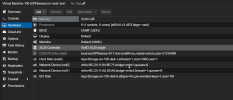
Hello World! I am new to Proxmox and this is my first thread. I just created a VM for OPNsense, however I ran into some error that cannot boot into the iso image. I have no idea whats wrong as I am following some youtube guide to do it. Much apperciate if someone could light me up. Thanks.

1727541760184.png
1727541793427.png
 
Oh I figure out, if I disable the "Secure Boot of the VM" it worked! I will left this thread to someone who have tohe same issue with me

Boot the consolve > ESC to enter the "BIOS" > Device Manager > Secure Boot Configuration > Select Attempt Secure Boot and hit the spacebar to disable it > Click F10 to save > Y to confirm > ESC to exit > ESC > Select Continue > Hit Enter> The VM will restart and it will work.
 
Having been in that situation recently, I found that unchecking Pre-Enroll keys on the System tab during VM creation is the easiest way to disable secure boot (which opnsense does not support).