Hi,
I'm using Proxmox since few years.
With the last upgrade to proxmox 5 i have problems with NoVNC console. My password contain "@" or "#" character and with french layout "azerty" i must press "Alt GR" + "0" for "@" and "Alt GR" + "3" for "#".
In KMV console pressing "Alt GR" key change everything with keyboard layout (weird character) and i must reload NoVNC console to resolve the problem.
This happen with KVM but with shell and CT console no problem.
Edit : Keyboard layout datacenter option is correctly set on "French (fr)"
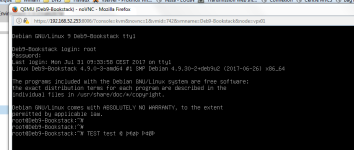
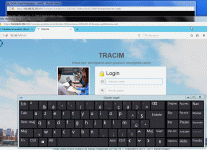
There is a screenshot of the probleme, word "TEST" have been typed but after "@" that becom symbol.
I'm using Proxmox since few years.
With the last upgrade to proxmox 5 i have problems with NoVNC console. My password contain "@" or "#" character and with french layout "azerty" i must press "Alt GR" + "0" for "@" and "Alt GR" + "3" for "#".
In KMV console pressing "Alt GR" key change everything with keyboard layout (weird character) and i must reload NoVNC console to resolve the problem.
This happen with KVM but with shell and CT console no problem.
Edit : Keyboard layout datacenter option is correctly set on "French (fr)"
There is a screenshot of the probleme, word "TEST" have been typed but after "@" that becom symbol.