Solved - A defective Switch Port that showed Link but no data going through ....
Hello everyone,
I have some problems with my new Proxmox Server.
Mainboard: Supermicro X10SRI-F, Network Card: Intel i350.
https://www.supermicro.com/en/products/motherboard/X10SRi-F.
I installed Proxmox Version 7.0 from proxmox-ve_7.0-2.iso.
After the installation the server was fine and I could reach it by its fixed IP 10.xx.xx.1.
But after the next reboot it was not reachable anymore and no ost is reachble from the console:
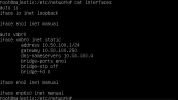
/etc/interfaces (interfaces-default-config.png)
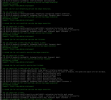
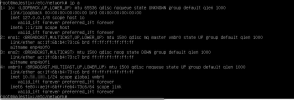
ip a (ip-a--default-config.png)
Even with a fixed IP-Adress on eno1 there connection possible:
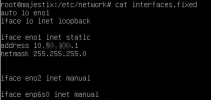
/etc/interfaces (interfaces-fixed-ip-eno1.png)
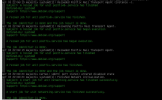
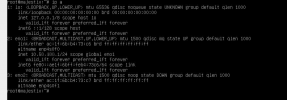
ip a (ip-a--fixed-ip-eno1.png)
I tried this with the newest Version 7.1 too - same problems.
I have another host running with the same Proxxmox Version 7.0 without any problems.
I can only connect by IPMI to the console and there is no cut & paste possible, only screenshots.
At the moment I hav no idea where how to go on- any hint are very aprechated.
Greetings
Wolfram
Hello everyone,
I have some problems with my new Proxmox Server.
Mainboard: Supermicro X10SRI-F, Network Card: Intel i350.
https://www.supermicro.com/en/products/motherboard/X10SRi-F.
I installed Proxmox Version 7.0 from proxmox-ve_7.0-2.iso.
After the installation the server was fine and I could reach it by its fixed IP 10.xx.xx.1.
But after the next reboot it was not reachable anymore and no ost is reachble from the console:
/etc/interfaces (interfaces-default-config.png)
ip a (ip-a--default-config.png)
Even with a fixed IP-Adress on eno1 there connection possible:
/etc/interfaces (interfaces-fixed-ip-eno1.png)
ip a (ip-a--fixed-ip-eno1.png)
I tried this with the newest Version 7.1 too - same problems.
I have another host running with the same Proxxmox Version 7.0 without any problems.
I can only connect by IPMI to the console and there is no cut & paste possible, only screenshots.
At the moment I hav no idea where how to go on- any hint are very aprechated.
Greetings
Wolfram
Attachments
Last edited: