

For weeks I have been trying multiple methods to convert a Hyper-V VM to Proxmox without success.
The issue is that in Proxmox, the machine reports: No bootable device.
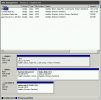
Here's a screenshot of the Hyper-V VM (Windows 2008 R2 Standard) disks:
I export both disks and then do:
The disks all convert fine.
I configure both imported disks as IDE on the Proxmox VM but still not bootable.
Using Starwind Converter, I also converted to VMDK and QCOW2 with the same result.
I don't know what else to do.
Any help will be appreciated.
Regards,
Dennis
The issue is that in Proxmox, the machine reports: No bootable device.
Here's a screenshot of the Hyper-V VM (Windows 2008 R2 Standard) disks:
I export both disks and then do:
qm importdisk vmid source.vhdx LVMThe disks all convert fine.
I configure both imported disks as IDE on the Proxmox VM but still not bootable.
Using Starwind Converter, I also converted to VMDK and QCOW2 with the same result.
I don't know what else to do.
Any help will be appreciated.
Regards,
Dennis