Sorry to activate this thread after 7 months ,but I'd like to know how's your experience so far with your setup. I am having the same hardware and about to set Proxmox up. Your and sb-jw's posts seem positive on this card and different from what I saw elsewhere.In updating the firmware on the H730, I found a setting in the Lifecycle Controller that allows for the cache of the H730 to be disabled. I believe the firmware updates are still going on, so I will wait to investigate this option in the BIOS, but should I get accurate SMART information (which I've heard multiple recent reports the H730 will give) then I see no reason why the H730 should have the reputation it does. It seems to simply require a bit more configuration to make it as robust for ZFS as an actual HBA, but given it's a higher-end RAID controller that shouldn't come as a surprise to anyone. Again, this is dependent on both accurate SMART information, and the cache actually being disabled, but I see no reason why either of these would fail or cause issue. I understand why the Proxmox and ZFS communities advocate so heavily against using RAID controllers, but it seems the majority of the information specific to the H730 is outdated or wrong. And as shown earlier in this thread, performance should not be an issue either. I see no reason why the H730 will not function perfectly fine with Proxmox and once I test my aforementioned assumptions, I will share my results. I expect that I will be sharing them with Proxmox installed and happily running on my server.


New Proxmox box w/ ZFS - R730xd w/ PERC H730 Mini in “HBA Mode” - BIG NO NO?
- Thread starter KMPLSV
- Start date
You are using an out of date browser. It may not display this or other websites correctly.
You should upgrade or use an alternative browser.
You should upgrade or use an alternative browser.
I have acquired a Dell r830 with 4x E5-4650v4 2.20GHz processors with 56 total cores and 1TB ECC Registered ram for a sandbox to evaluate proxmox VE for a replacement to our existing ESXi environment.
I have set the controller to HBA with the cache disabled in the lifecycle controller. We are planning to using ZFS.
I will update with what happens as best I can.
Planning on installing Proxmox VE next week.
I have set the controller to HBA with the cache disabled in the lifecycle controller. We are planning to using ZFS.
I will update with what happens as best I can.
Planning on installing Proxmox VE next week.
I have Dell R730, with H730P Mini, I'll be using it in HBA with cache disabled. I'll let you guys know if anything goes wrong.
My changes over default config for H730P in BIOS (F2) > Device Settings:
1. Set Select Boot Device to None in Controller Management
2. Switched to HBA mode in Advanced Controller Management
2. Disabled Disk Cache for Non-RAID in Advanced Controller Properties
My changes over default config for H730P in BIOS (F2) > Device Settings:
1. Set Select Boot Device to None in Controller Management
2. Switched to HBA mode in Advanced Controller Management
2. Disabled Disk Cache for Non-RAID in Advanced Controller Properties
Last edited:

I have Dell R730, with H730P Mini, I'll be using it in HBA with cache disabled. I'll let you guys know if anything goes wrong.
My changes over default config for H730P in BIOS (F2) > Device Settings:
1. Set Select Boot Device to None in Controller Management
2. Switched to HBA mode in Advanced Controller Management
2. Disabled Disk Cache for Non-RAID in Advanced Controller Properties
this is exactly my hardware, but I did not disable the cache. The zpool completely disapears after each reboot. Is this the cache? Do I need to disable it?

That's surprising and not expected, of course.The zpool completely disapears after each reboot.
How did you create that pool? What gives "
zpool status" before reboot and "zpool import" after it?We are talking "write cache", right? It tells ZFS that data has been written to disk while it actually is not. Theoretically that's fine, as long as the Battery is okay. Personally I would recommend to disable it as ZFS has its very own caching system: the Adaptive Replacement Cache "ARC" and a five-second buffer in Ram for writing data = a Transaction Group ("TXG"), to be written to the ZFS-Intent-Log, "ZIL". For asynchronous writes this is highly optimized and works very well. For sync-writes the data has to be written to disk. And I do not like that the controller lies about this very fact.Is this the cache? Do I need to disable it?
You can just disable it to test the effect, right?
That's surprising and not expected, of course.
How did you create that pool? What gives "zpool status" before reboot and "zpool import" after it?
This is a pool with 8 600GB SAS 15k disks (which are leftover, I'd prefer higher capacity, it's just for backup)
pve-cg-02:/root # zpool status
pool: tank
state: ONLINE
config:
NAME STATE READ WRITE CKSUM
tank ONLINE 0 0 0
raidz1-0 ONLINE 0 0 0
sda ONLINE 0 0 0
sdb ONLINE 0 0 0
sdc ONLINE 0 0 0
sdd ONLINE 0 0 0
sde ONLINE 0 0 0
sdf ONLINE 0 0 0
sdg ONLINE 0 0 0
sdh ONLINE 0 0 0
errors: No known data errors
pve-cg-02:/root # smartctl -a /dev/sda
smartctl 7.4 2024-10-15 r5620 [x86_64-linux-6.17.2-2-pve] (local build)
Copyright (C) 2002-23, Bruce Allen, Christian Franke, www.smartmontools.org
=== START OF INFORMATION SECTION ===
Vendor: SEAGATE
Product: ST600MP0036
Revision: KT39
Compliance: SPC-4
User Capacity: 600,127,266,816 bytes [600 GB]
Logical block size: 512 bytes
Formatted with type 2 protection
8 bytes of protection information per logical block
LU is fully provisioned
Rotation Rate: 15000 rpm
Form Factor: 2.5 inches
Logical Unit id: 0x5000c500cec1365f
Serial number: WAF22VXG
Device type: disk
Transport protocol: SAS (SPL-4)
Local Time is: Sun Dec 7 12:56:58 2025 CET
SMART support is: Available - device has SMART capability.
SMART support is: Enabled
Temperature Warning: Disabled or Not Supported
=== START OF READ SMART DATA SECTION ===
SMART Health Status: OK
On the other node the pool ist just "not there" after reboot
pve-cg-01:/root # zpool status
no pools available
I tried a lot of force imports, pointed the zpool import to the disks. Disks are still sda to sdh. No changes.
Only thing is to recreate the pool, but it will be away again after reboot
zpool create -o ashift=12 -o autotrim=on -O compression=lz4 -O atime=off -O relatime=on -O xattr=sa tank raidz1 sda sdb sdc sdd sde sdf sdg sdh -f
pve-cg-01:/root # zpool status
pool: tank
state: ONLINE
config:
NAME STATE READ WRITE CKSUM
tank ONLINE 0 0 0
raidz1-0 ONLINE 0 0 0
sda ONLINE 0 0 0
sdb ONLINE 0 0 0
sdc ONLINE 0 0 0
sdd ONLINE 0 0 0
sde ONLINE 0 0 0
sdf ONLINE 0 0 0
sdg ONLINE 0 0 0
sdh ONLINE 0 0 0
errors: No known data errors
pve-cg-01:/root #
We are talking "write cache", right? [..]
You can just disable it to test the effect, right?
sure I will do tomorrow, as the system is not usable like this at the moment. But I'm afraid, that it won't help, as the server had allready days of uptime. I can't imagine that the basic filesystem should not have been written allready
Christian
You may readno pools available
man zpool-import - there are some options to find a missing pool by searching for devices and also to import a "destroyed" pool (for example). Of course most of those commands are dangerous, but you don't have actual data on those drives yet, right?The drives are visible via
lsblk -f?Hi,
this zpool create above was a live command. So I recreated the pool.
after reboot:
this is totally weird. I'll check lifecycle controller tomorrow
You may readman zpool-import- there are some options to find a missing pool by searching for devices and also to import a "destroyed" pool (for example). Of course most of those commands are dangerous, but you don't have actual data on those drives yet, right?
The drives are visible vialsblk -f?
this zpool create above was a live command. So I recreated the pool.
pve-cg-01:/root # blkid| grep tank
/dev/sdf1: LABEL="tank" UUID="15477334804078097605" UUID_SUB="16965323507885345190" BLOCK_SIZE="4096" TYPE="zfs_member" PARTLABEL="zfs-ad2dc21769d5f873" PARTUUID="cba38a8d-73fa-5f4c-8017-2aa9e7432741"
/dev/sdd1: LABEL="tank" UUID="15477334804078097605" UUID_SUB="9164177361727748272" BLOCK_SIZE="4096" TYPE="zfs_member" PARTLABEL="zfs-60c6bcce3add2093" PARTUUID="85660c1f-e2dc-0441-ae6b-5e93b56020f6"
/dev/sdb1: LABEL="tank" UUID="15477334804078097605" UUID_SUB="998877980424608258" BLOCK_SIZE="4096" TYPE="zfs_member" PARTLABEL="zfs-b8e907e3f5e1a417" PARTUUID="d6dc2176-e6e5-354f-89f9-18e1aea98132"
/dev/sdg1: LABEL="tank" UUID="15477334804078097605" UUID_SUB="16084983104017224529" BLOCK_SIZE="4096" TYPE="zfs_member" PARTLABEL="zfs-bb0db3ce4a6066ed" PARTUUID="7db0bf94-f1bd-214d-90ee-876e20e36d6d"
/dev/sde1: LABEL="tank" UUID="15477334804078097605" UUID_SUB="12343655275724425310" BLOCK_SIZE="4096" TYPE="zfs_member" PARTLABEL="zfs-1293f52f8f162216" PARTUUID="33131770-8978-7840-8958-84e3ba707cb3"
/dev/sdc1: LABEL="tank" UUID="15477334804078097605" UUID_SUB="14167843731415087663" BLOCK_SIZE="4096" TYPE="zfs_member" PARTLABEL="zfs-d08c14b89dbb9a39" PARTUUID="3f7948f4-af30-8946-8a75-81c99ef274bb"
/dev/sda1: LABEL="tank" UUID="15477334804078097605" UUID_SUB="18117515269011592014" BLOCK_SIZE="4096" TYPE="zfs_member" PARTLABEL="zfs-32148034674e0247" PARTUUID="8e8c8448-db99-bc43-9bbc-1346ea420fec"
/dev/sdh1: LABEL="tank" UUID="15477334804078097605" UUID_SUB="15605202821228868619" BLOCK_SIZE="4096" TYPE="zfs_member" PARTLABEL="zfs-a7c93246d227b96d" PARTUUID="f93e5c73-28b4-4245-b385-874750957b17"
pve-cg-01:/root # sync
pve-cg-01:/root # reboot
after reboot:
pve-cg-01:/root # zpool status
no pools available
pve-cg-01:/root # zpool import tank
cannot import 'tank': no such pool available
pve-cg-01:/root # zpool import tank -f
cannot import 'tank': no such pool available
pve-cg-01:/root # zpool import tank -F
cannot import 'tank': no such pool available
pve-cg-01:/root # blkid| grep tank
pve-cg-01:/root # fdisk -l /dev/sda
Disk /dev/sda: 558.91 GiB, 600127266816 bytes, 1172123568 sectors
Disk model: ST600MP0036
Units: sectors of 1 * 512 = 512 bytes
Sector size (logical/physical): 512 bytes / 512 bytes
I/O size (minimum/optimal): 512 bytes / 512 bytes
Disklabel type: gpt
Disk identifier: 51BF9D4C-76A4-A243-94E9-EE8F0269839B
Device Start End Sectors Size Type
/dev/sda1 2048 1172105215 1172103168 558.9G Solaris /usr & Apple ZFS
/dev/sda9 1172105216 1172121599 16384 8M Solaris reserved 1
pve-cg-01:/root # blkid | grep sda
/dev/sda: PTUUID="51bf9d4c-76a4-a243-94e9-ee8f0269839b" PTTYPE="gpt"
pve-cg-01:/root #
pve-cg-01:/root # zpool import -d /dev/sda -f -F -D
no pools available to import
pve-cg-01:/root # zpool import -d /dev/sdb -f -F -D
no pools available to import
pve-cg-01:/root # zpool import -d /dev/sdc -f -F -D
no pools available to import
this is totally weird. I'll check lifecycle controller tomorrow
Hi,
ok I switched the cache from "default" to "off" for non raid disks
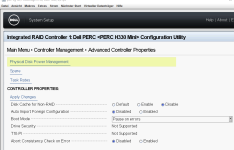
rebooted, created new zpool, created a zfs storage, rebooted again and the zpool is gone again. Really big /dev/null blackhole the thing....
ok I switched the cache from "default" to "off" for non raid disks
rebooted, created new zpool, created a zfs storage, rebooted again and the zpool is gone again. Really big /dev/null blackhole the thing....
lets ignore the zpool for the moment. please post the output from
lsblk (do NOT grep anything)
ls -la /dev/disk/by-id/
lsblk (do NOT grep anything)
ls -la /dev/disk/by-id/
Hi,
here we go, this is the state after reboot, after the zfs pool has gone
here we go, this is the state after reboot, after the zfs pool has gone
pve-cg-02:/root # lsblk
NAME MAJ:MIN RM SIZE RO TYPE MOUNTPOINTS
sda 8:0 0 558.9G 0 disk
sdb 8:16 0 558.9G 0 disk
sdc 8:32 0 558.9G 0 disk
sdd 8:48 0 558.9G 0 disk
sde 8:64 0 558.9G 0 disk
sdf 8:80 0 558.9G 0 disk
sdg 8:96 0 558.9G 0 disk
sdh 8:112 0 558.9G 0 disk
sdi 8:128 0 223.5G 0 disk
├─sdi1 8:129 0 1007K 0 part
├─sdi2 8:130 0 1G 0 part /boot/efi
└─sdi3 8:131 0 222.5G 0 part
├─pve-swap 252:2 0 8G 0 lvm [SWAP]
├─pve-root 252:3 0 65.6G 0 lvm /
├─pve-data_tmeta 252:4 0 1.3G 0 lvm
│ └─pve-data-tpool 252:6 0 130.2G 0 lvm
│ └─pve-data 252:7 0 130.2G 1 lvm
└─pve-data_tdata 252:5 0 130.2G 0 lvm
└─pve-data-tpool 252:6 0 130.2G 0 lvm
└─pve-data 252:7 0 130.2G 1 lvm
sdj 8:144 1 0B 0 disk
sdk 8:160 0 2T 0 disk
└─DS_PMC-CG_01 252:8 0 2T 0 mpath
sdl 8:176 0 1T 1 disk
└─DS_CG_01 252:9 0 1T 1 mpath
└─DS_CG_01-part1 252:10 0 1024G 0 part
sdm 8:192 0 2T 0 disk
└─DS_PMC-CG_01 252:8 0 2T 0 mpath
sdn 8:208 0 1T 1 disk
└─DS_CG_01 252:9 0 1T 1 mpath
└─DS_CG_01-part1 252:10 0 1024G 0 part
sdo 8:224 0 2T 0 disk
└─DS_PMC-CG_01 252:8 0 2T 0 mpath
sdp 8:240 0 1T 1 disk
└─DS_CG_01 252:9 0 1T 1 mpath
└─DS_CG_01-part1 252:10 0 1024G 0 part
sr0 11:0 1 1024M 0 rom
sdq 65:0 0 2T 0 disk
└─DS_PMC-CG_01 252:8 0 2T 0 mpath
sdr 65:16 0 1T 1 disk
└─DS_CG_01 252:9 0 1T 1 mpath
└─DS_CG_01-part1 252:10 0 1024G 0 part
nvme1n1 259:2 0 5.8T 0 disk
└─ceph--4cb95a7f--7601--4234--96c3--f456dc138cf7-osd--block--2ef7eb75--1d31--479b--b09c--6364dd4fba8d 252:1 0 5.8T 0 lvm
nvme0n1 259:3 0 5.8T 0 disk
└─ceph--f7082ee6--c19d--48dd--9800--df911c32b426-osd--block--a0bdbd68--4ccf--4ccb--81a8--8d4ea5e41c07 252:0 0 5.8T 0 lvm
pve-cg-02:/root # ls -la /dev/disk/by-id/
total 0
drwxr-xr-x 2 root root 1080 Dec 7 21:28 .
drwxr-xr-x 7 root root 140 Dec 7 21:28 ..
lrwxrwxrwx 1 root root 9 Dec 7 21:28 ata-DELLBOSS_VD_211c11ba0b8a0010 -> ../../sdi
lrwxrwxrwx 1 root root 10 Dec 7 21:28 ata-DELLBOSS_VD_211c11ba0b8a0010-part1 -> ../../sdi1
lrwxrwxrwx 1 root root 10 Dec 7 21:28 ata-DELLBOSS_VD_211c11ba0b8a0010-part2 -> ../../sdi2
lrwxrwxrwx 1 root root 10 Dec 7 21:28 ata-DELLBOSS_VD_211c11ba0b8a0010-part3 -> ../../sdi3
lrwxrwxrwx 1 root root 10 Dec 7 21:28 dm-name-ceph--4cb95a7f--7601--4234--96c3--f456dc138cf7-osd--block--2ef7eb75--1d31--479b--b09c--6364dd4fba8d -> ../../dm-1
lrwxrwxrwx 1 root root 10 Dec 7 21:28 dm-name-ceph--f7082ee6--c19d--48dd--9800--df911c32b426-osd--block--a0bdbd68--4ccf--4ccb--81a8--8d4ea5e41c07 -> ../../dm-0
lrwxrwxrwx 1 root root 10 Dec 7 21:28 dm-name-DS_CG_01 -> ../../dm-9
lrwxrwxrwx 1 root root 11 Dec 7 21:28 dm-name-DS_CG_01-part1 -> ../../dm-10
lrwxrwxrwx 1 root root 10 Dec 7 21:28 dm-name-DS_PMC-CG_01 -> ../../dm-8
lrwxrwxrwx 1 root root 10 Dec 7 21:28 dm-name-pve-root -> ../../dm-3
lrwxrwxrwx 1 root root 10 Dec 7 21:28 dm-name-pve-swap -> ../../dm-2
lrwxrwxrwx 1 root root 10 Dec 7 21:28 dm-uuid-LVM-ATZhAhBCPjpgbV9WvzeqO5C13AzpDJKy3wN4k7fpxOBciu9PxPllTaf0CblcZ486 -> ../../dm-3
lrwxrwxrwx 1 root root 10 Dec 7 21:28 dm-uuid-LVM-ATZhAhBCPjpgbV9WvzeqO5C13AzpDJKyQEPBQzsjch4L4STx925hxfY2tTXEoPUH -> ../../dm-2
lrwxrwxrwx 1 root root 10 Dec 7 21:28 dm-uuid-LVM-f8XuMOcHUHE9k4XQ4UWN7C7oaw0WdHiCgdkg60k2FVuOVcBKJABtbEph3ST6wd0b -> ../../dm-1
lrwxrwxrwx 1 root root 10 Dec 7 21:28 dm-uuid-LVM-kWtNpV6fnjcytkfvWt2SJTrR6xkTokYIJo6wlR0a2CpfH5q6gaRHNmBq1WvtwUbm -> ../../dm-0
lrwxrwxrwx 1 root root 10 Dec 7 21:28 dm-uuid-mpath-360030d907cdefa048e006989499b6421 -> ../../dm-8
lrwxrwxrwx 1 root root 10 Dec 7 21:28 dm-uuid-mpath-360030d90b05636013f5b6769bb636d9c -> ../../dm-9
lrwxrwxrwx 1 root root 11 Dec 7 21:28 dm-uuid-part1-mpath-360030d90b05636013f5b6769bb636d9c -> ../../dm-10
lrwxrwxrwx 1 root root 13 Dec 7 21:28 lvm-pv-uuid-41AfGi-hDWN-otnO-afIl-p3gd-loWJ-zwFenS -> ../../nvme1n1
lrwxrwxrwx 1 root root 13 Dec 7 21:28 lvm-pv-uuid-58zm0j-MUDs-mQ0t-Z5LA-tfDI-ei1l-ClMdr9 -> ../../nvme0n1
lrwxrwxrwx 1 root root 10 Dec 7 21:28 lvm-pv-uuid-Ba0OQb-3fhc-OHrM-6RqI-MV8b-zWAb-zjjl6O -> ../../dm-8
lrwxrwxrwx 1 root root 10 Dec 7 21:28 lvm-pv-uuid-u2qOC5-3dyS-j7Fh-t32m-JDDB-2L18-tFxmZp -> ../../sdi3
lrwxrwxrwx 1 root root 13 Dec 7 21:28 nvme-eui.01000000000000008ce38ee3099649f6 -> ../../nvme1n1
lrwxrwxrwx 1 root root 13 Dec 7 21:28 nvme-eui.01000000000000008ce38ee3099f0922 -> ../../nvme0n1
lrwxrwxrwx 1 root root 13 Dec 7 21:28 nvme-KIOXIA_KCD8XPUG6T40_6F90A04R0V03 -> ../../nvme1n1
lrwxrwxrwx 1 root root 13 Dec 7 21:28 nvme-KIOXIA_KCD8XPUG6T40_6F90A04R0V03_1 -> ../../nvme1n1
lrwxrwxrwx 1 root root 13 Dec 7 21:28 nvme-KIOXIA_KCD8XPUG6T40_6FE0A06R0V03 -> ../../nvme0n1
lrwxrwxrwx 1 root root 13 Dec 7 21:28 nvme-KIOXIA_KCD8XPUG6T40_6FE0A06R0V03_1 -> ../../nvme0n1
lrwxrwxrwx 1 root root 9 Dec 7 21:28 scsi-35000c5007ebb7e37 -> ../../sdf
lrwxrwxrwx 1 root root 9 Dec 7 21:28 scsi-35000c5009a5928ef -> ../../sdc
lrwxrwxrwx 1 root root 9 Dec 7 21:28 scsi-35000c500b7818a9f -> ../../sdg
lrwxrwxrwx 1 root root 9 Dec 7 21:28 scsi-35000c500bd51ad03 -> ../../sdh
lrwxrwxrwx 1 root root 9 Dec 7 21:28 scsi-35000c500bd51b0ab -> ../../sdb
lrwxrwxrwx 1 root root 9 Dec 7 21:28 scsi-35000c500cec1365f -> ../../sda
lrwxrwxrwx 1 root root 9 Dec 7 21:28 scsi-35000c500d2dfa42f -> ../../sde
lrwxrwxrwx 1 root root 9 Dec 7 21:28 scsi-35000c500df2e7bfb -> ../../sdd
lrwxrwxrwx 1 root root 10 Dec 7 21:28 scsi-360030d907cdefa048e006989499b6421 -> ../../dm-8
lrwxrwxrwx 1 root root 10 Dec 7 21:28 scsi-360030d90b05636013f5b6769bb636d9c -> ../../dm-9
lrwxrwxrwx 1 root root 11 Dec 7 21:28 scsi-360030d90b05636013f5b6769bb636d9c-part1 -> ../../dm-10
lrwxrwxrwx 1 root root 9 Dec 7 21:28 usb-iDRAC_Virtual_CD_20120731-1-0:0 -> ../../sr0
lrwxrwxrwx 1 root root 9 Dec 7 21:28 usb-iDRAC_Virtual_Floppy_20120731-1-0:1 -> ../../sdj
lrwxrwxrwx 1 root root 9 Dec 7 21:28 wwn-0x5000c5007ebb7e37 -> ../../sdf
lrwxrwxrwx 1 root root 9 Dec 7 21:28 wwn-0x5000c5009a5928ef -> ../../sdc
lrwxrwxrwx 1 root root 9 Dec 7 21:28 wwn-0x5000c500b7818a9f -> ../../sdg
lrwxrwxrwx 1 root root 9 Dec 7 21:28 wwn-0x5000c500bd51ad03 -> ../../sdh
lrwxrwxrwx 1 root root 9 Dec 7 21:28 wwn-0x5000c500bd51b0ab -> ../../sdb
lrwxrwxrwx 1 root root 9 Dec 7 21:28 wwn-0x5000c500cec1365f -> ../../sda
lrwxrwxrwx 1 root root 9 Dec 7 21:28 wwn-0x5000c500d2dfa42f -> ../../sde
lrwxrwxrwx 1 root root 9 Dec 7 21:28 wwn-0x5000c500df2e7bfb -> ../../sdd
lrwxrwxrwx 1 root root 10 Dec 7 21:28 wwn-0x60030d907cdefa048e006989499b6421 -> ../../dm-8
lrwxrwxrwx 1 root root 10 Dec 7 21:28 wwn-0x60030d90b05636013f5b6769bb636d9c -> ../../dm-9
lrwxrwxrwx 1 root root 11 Dec 7 21:28 wwn-0x60030d90b05636013f5b6769bb636d9c-part1 -> ../../dm-10
well, you have quite the loadout.
Before we begin, make sure you have multipath-boot-tools installed. it is critical for the proper ordering of devices during boot.
next, I assume the disks in question are the 600GB drives. assuming you can create a new zpool with striped mirrors:
zpool create mypool mirror wwn-0x5000c500cec1365f wwn-0x5000c500bd51b0ab mirror wwn-0x5000c5009a5928ef wwn-0x5000c500df2e7bfb mirror wwn-0x5000c500d2dfa42f wwn-0x5000c5007ebb7e37 mirror wwn-0x5000c500b7818a9f wwn-0x5000c500bd51ad03
one multipath-boot-tools is installed and the pool is created, reboot and see whats what.
Before we begin, make sure you have multipath-boot-tools installed. it is critical for the proper ordering of devices during boot.
next, I assume the disks in question are the 600GB drives. assuming you can create a new zpool with striped mirrors:
zpool create mypool mirror wwn-0x5000c500cec1365f wwn-0x5000c500bd51b0ab mirror wwn-0x5000c5009a5928ef wwn-0x5000c500df2e7bfb mirror wwn-0x5000c500d2dfa42f wwn-0x5000c5007ebb7e37 mirror wwn-0x5000c500b7818a9f wwn-0x5000c500bd51ad03
one multipath-boot-tools is installed and the pool is created, reboot and see whats what.
ok log below:
just for the protocol: I have 4 of these R730. All with the same hardware in it, all latest BIOS, latest Lifecycle/Drac, latest H330 Firmware, all in HBA Mode. 3 for Proxmox, 2 of them with this 600GB SAS 15k Dell drives. One with Proxmox Backup Server and 6 Seagate Barracuda SATA Disk (yes, roast me). Thist last one is also running ZFS and has no problems. So it must be something with these Dell 600GB Disks which aren't contemporary anyway imho. As the zpool is failling anyway all the time I will try some other disks too.
Ok, multipath-tools-boot killed my Proxmox boot environment....

There is a package comment to not install this package, if you're not booting from multipath. I did a rescue boot from CD and removed the package, rebooted again an everything is ok again - except for the zpool: There is no zpool anymore...
I'll try other disk but I can do that at the earliest on Wednesday. At the moment I think best I could do is to forget about this old Perc and to add another NVMe for CEPH, which would increase the osd count to 3 for each node and that would give me all the space I'd need without old hard drives.... This is planned anyway for next year
pve-cg-02:/root # cd /dev/disk/by-id/
pve-cg-02:/dev/disk/by-id # dir wwn-0x5000c500cec1365f wwn-0x5000c500bd51b0ab mirror wwn-0x5000c5009a5928ef wwn-0x5000c500df2e7bfb mirror wwn-0x5000c500d2dfa42f wwn-0x5000c5007ebb7e37 mirror wwn-0x5000c500b7818a9f wwn-0x5000c500bd51ad03
ls: cannot access 'mirror': No such file or directory
ls: cannot access 'mirror': No such file or directory
ls: cannot access 'mirror': No such file or directory
lrwxrwxrwx 1 root root 9 Dec 7 21:28 wwn-0x5000c5007ebb7e37 -> ../../sdf
lrwxrwxrwx 1 root root 9 Dec 7 21:28 wwn-0x5000c5009a5928ef -> ../../sdc
lrwxrwxrwx 1 root root 9 Dec 7 21:28 wwn-0x5000c500b7818a9f -> ../../sdg
lrwxrwxrwx 1 root root 9 Dec 7 21:28 wwn-0x5000c500bd51ad03 -> ../../sdh
lrwxrwxrwx 1 root root 9 Dec 7 21:28 wwn-0x5000c500bd51b0ab -> ../../sdb
lrwxrwxrwx 1 root root 9 Dec 7 21:28 wwn-0x5000c500cec1365f -> ../../sda
lrwxrwxrwx 1 root root 9 Dec 7 21:28 wwn-0x5000c500d2dfa42f -> ../../sde
lrwxrwxrwx 1 root root 9 Dec 7 21:28 wwn-0x5000c500df2e7bfb -> ../../sdd
pve-cg-02:/dev/disk/by-id # dpkg -l | grep multipath
ii multipath-tools 0.11.1-2 amd64 maintain multipath block device access
pve-cg-02:/dev/disk/by-id # apt install multipath-boot-tools
Error: Unable to locate package multipath-boot-tools
pve-cg-02:/dev/disk/by-id # apt search multipath
[..]
multipath-tools-boot/stable 0.11.1-2 all
Support booting from multipath devices
pve-cg-02:/dev/disk/by-id # apt install multipath-tools-boot
The following package was automatically installed and is no longer required:
proxmox-headers-6.17.2-1-pve
Use 'apt autoremove' to remove it.
Installing:
multipath-tools-boot
Summary:
Upgrading: 0, Installing: 1, Removing: 0, Not Upgrading: 0
Download size: 9636 B
Space needed: 34.8 kB / 49.4 GB available
Get:1 http://deb.debian.org/debian trixie/main amd64 multipath-tools-boot all 0.11.1-2 [9636 B]
Fetched 9636 B in 0s (216 kB/s)
Selecting previously unselected package multipath-tools-boot.
(Reading database ... 175348 files and directories currently installed.)
Preparing to unpack .../multipath-tools-boot_0.11.1-2_all.deb ...
Unpacking multipath-tools-boot (0.11.1-2) ...
Setting up multipath-tools-boot (0.11.1-2) ...
Processing triggers for initramfs-tools (0.148.3) ...
update-initramfs: Generating /boot/initrd.img-6.17.2-2-pve
Running hook script 'zz-proxmox-boot'..
Re-executing '/etc/kernel/postinst.d/zz-proxmox-boot' in new private mount namespace..
No /etc/kernel/proxmox-boot-uuids found, skipping ESP sync.
Updating kernel version 6.17.2-2-pve in systemd-boot...
checked_command bereits gepatcht, keine Änderung notwendig.
Scanning processes...
Scanning processor microcode...
Scanning linux images...
Running kernel seems to be up-to-date.
The processor microcode seems to be up-to-date.
No services need to be restarted.
No containers need to be restarted.
No user sessions are running outdated binaries.
No VM guests are running outdated hypervisor (qemu) binaries on this host.
pve-cg-02:/dev/disk/by-id #
zpool create mypool mirror wwn-0x5000c500cec1365f wwn-0x5000c500bd51b0ab mirror wwn-0x5000c5009a5928ef wwn-0x5000c500df2e7bfb mirror wwn-0x5000c500d2dfa42f wwn-0x5000c5007ebb7e37 mirror wwn-0x5000c500b7818a9f wwn-0x5000c500bd51ad03
pve-cg-02:/dev/disk/by-id # zpool status
pool: mypool
state: ONLINE
config:
NAME STATE READ WRITE CKSUM
mypool ONLINE 0 0 0
mirror-0 ONLINE 0 0 0
wwn-0x5000c500cec1365f ONLINE 0 0 0
wwn-0x5000c500bd51b0ab ONLINE 0 0 0
mirror-1 ONLINE 0 0 0
wwn-0x5000c5009a5928ef ONLINE 0 0 0
wwn-0x5000c500df2e7bfb ONLINE 0 0 0
mirror-2 ONLINE 0 0 0
wwn-0x5000c500d2dfa42f ONLINE 0 0 0
wwn-0x5000c5007ebb7e37 ONLINE 0 0 0
mirror-3 ONLINE 0 0 0
wwn-0x5000c500b7818a9f ONLINE 0 0 0
wwn-0x5000c500bd51ad03 ONLINE 0 0 0
errors: No known data errors
pve-cg-02:/dev/disk/by-id # sync
just for the protocol: I have 4 of these R730. All with the same hardware in it, all latest BIOS, latest Lifecycle/Drac, latest H330 Firmware, all in HBA Mode. 3 for Proxmox, 2 of them with this 600GB SAS 15k Dell drives. One with Proxmox Backup Server and 6 Seagate Barracuda SATA Disk (yes, roast me). Thist last one is also running ZFS and has no problems. So it must be something with these Dell 600GB Disks which aren't contemporary anyway imho. As the zpool is failling anyway all the time I will try some other disks too.
Ok, multipath-tools-boot killed my Proxmox boot environment....
There is a package comment to not install this package, if you're not booting from multipath. I did a rescue boot from CD and removed the package, rebooted again an everything is ok again - except for the zpool: There is no zpool anymore...
pve-cg-02:/dev/disk/by-id # zpool status
no pools available
pve-cg-02:/dev/disk/by-id # dir wwn-0x5000c500cec1365f wwn-0x5000c500bd51b0ab wwn-0x5000c5009a5928ef wwn-0x5000c500df2e7bfb wwn-0x5000c500d2dfa42f wwn-0x5000c5007ebb7e37 wwn-0x5000c500b7818a9f wwn-0x5000c500bd51ad03
lrwxrwxrwx 1 root root 9 Dec 8 19:41 wwn-0x5000c5007ebb7e37 -> ../../sdf
lrwxrwxrwx 1 root root 9 Dec 8 19:41 wwn-0x5000c5009a5928ef -> ../../sdc
lrwxrwxrwx 1 root root 9 Dec 8 19:41 wwn-0x5000c500b7818a9f -> ../../sdg
lrwxrwxrwx 1 root root 9 Dec 8 19:41 wwn-0x5000c500bd51ad03 -> ../../sdh
lrwxrwxrwx 1 root root 9 Dec 8 19:41 wwn-0x5000c500bd51b0ab -> ../../sdb
lrwxrwxrwx 1 root root 9 Dec 8 19:41 wwn-0x5000c500cec1365f -> ../../sda
lrwxrwxrwx 1 root root 9 Dec 8 19:41 wwn-0x5000c500d2dfa42f -> ../../sde
lrwxrwxrwx 1 root root 9 Dec 8 19:41 wwn-0x5000c500df2e7bfb -> ../../sdd
I'll try other disk but I can do that at the earliest on Wednesday. At the moment I think best I could do is to forget about this old Perc and to add another NVMe for CEPH, which would increase the osd count to 3 for each node and that would give me all the space I'd need without old hard drives.... This is planned anyway for next year
try not to filter unnecessarily; what you want to see if there are PARTITIONS on those drives.
lsblk output will tell. if you have partitions, its just a matter of a race condition which could be solved. if there arent- you're doing stuff beyond what you are describing here. dont bother affirming or denying, it doesnt matter to me and changes nothing.
Lastly- your system is all over the place- makes it hard to troubleshoot. I suggest you simplify it completely- wipe the installation, install proxmox, install zfs, and see if you still have issues. dont install multipath or ceph. Once you have a system you know runs dependably add more features slowly.
lsblk output will tell. if you have partitions, its just a matter of a race condition which could be solved. if there arent- you're doing stuff beyond what you are describing here. dont bother affirming or denying, it doesnt matter to me and changes nothing.
Lastly- your system is all over the place- makes it hard to troubleshoot. I suggest you simplify it completely- wipe the installation, install proxmox, install zfs, and see if you still have issues. dont install multipath or ceph. Once you have a system you know runs dependably add more features slowly.
try not to filter unnecessarily; what you want to see if there are PARTITIONS on those drives.
lsblk output will tell. if you have partitions, its just a matter of a race condition which could be solved. if there arent- you're doing stuff beyond what you are describing here. dont bother affirming or denying, it doesnt matter to me and changes nothing.
Lastly- your system is all over the place- makes it hard to troubleshoot. I suggest you simplify it completely- wipe the installation, install proxmox, install zfs, and see if you still have issues. dont install multipath or ceph. Once you have a system you know runs dependably add more features slowly.
neither I filtered the last post (except the apt search) nor did I describe less than I did. On the contrary I logged all my steps exactly.
The system is a newly installed proxmox cluster with CEPH. Yes I also have multipathed iscsi disks from my datacore cluster. For Testing and migration. Everything is working fine so far. I've started with the ZFS stuff at last, to gain some cheap storage for archive stuff I don't want to waste space on my ceph.
And I'm reporting my problem here in this thread as I think the topic matches and the problem is interesting enough to investigate.
But I see the time is working against me and it could be cheaper to simply increase the CEPH...
lsblk does not show partitions, fdisk does
pve-cg-02:/root # lsblk
NAME MAJ:MIN RM SIZE RO TYPE MOUNTPOINTS
sda 8:0 0 558.9G 0 disk
sdb 8:16 0 558.9G 0 disk
sdc 8:32 0 558.9G 0 disk
sdd 8:48 0 558.9G 0 disk
sde 8:64 0 558.9G 0 disk
sdf 8:80 0 558.9G 0 disk
sdg 8:96 0 558.9G 0 disk
sdh 8:112 0 558.9G 0 disk
sdi 8:128 0 223.5G 0 disk
|-sdi1 8:129 0 1007K 0 part
|-sdi2 8:130 0 1G 0 part /boot/efi
`-sdi3 8:131 0 222.5G 0 part
|-pve-swap 252:2 0 8G 0 lvm [SWAP]
|-pve-root 252:3 0 65.6G 0 lvm /
|-pve-data_tmeta 252:4 0 1.3G 0 lvm
| `-pve-data-tpool 252:6 0 130.2G 0 lvm
| `-pve-data 252:7 0 130.2G 1 lvm
`-pve-data_tdata 252:5 0 130.2G 0 lvm
`-pve-data-tpool 252:6 0 130.2G 0 lvm
`-pve-data 252:7 0 130.2G 1 lvm
sdj 8:144 0 2T 0 disk
`-DS_PMC-CG_01 252:8 0 2T 0 mpath
sdk 8:160 0 2T 0 disk
`-DS_PMC-CG_01 252:8 0 2T 0 mpath
sdl 8:176 0 1T 1 disk
`-DS_CG_01 252:9 0 1T 1 mpath
`-DS_CG_01-part1 252:10 0 1024G 0 part
sdm 8:192 0 1T 1 disk
`-DS_CG_01 252:9 0 1T 1 mpath
`-DS_CG_01-part1 252:10 0 1024G 0 part
sdn 8:208 0 2T 0 disk
`-DS_PMC-CG_01 252:8 0 2T 0 mpath
sdo 8:224 0 2T 0 disk
`-DS_PMC-CG_01 252:8 0 2T 0 mpath
sdp 8:240 0 1T 1 disk
`-DS_CG_01 252:9 0 1T 1 mpath
`-DS_CG_01-part1 252:10 0 1024G 0 part
sdq 65:0 0 1T 1 disk
`-DS_CG_01 252:9 0 1T 1 mpath
`-DS_CG_01-part1 252:10 0 1024G 0 part
nvme0n1 259:1 0 5.8T 0 disk
`-ceph--f7082ee6--c19d--48dd--9800--df911c32b426-osd--block--a0bdbd68--4ccf--4ccb--81a8--8d4ea5e41c07 252:0 0 5.8T 0 lvm
nvme1n1 259:3 0 5.8T 0 disk
`-ceph--4cb95a7f--7601--4234--96c3--f456dc138cf7-osd--block--2ef7eb75--1d31--479b--b09c--6364dd4fba8d 252:1 0 5.8T 0 lvm
pve-cg-02:/root # fdisk -l /dev/sda
Disk /dev/sda: 558.91 GiB, 600127266816 bytes, 1172123568 sectors
Disk model: ST600MP0036
Units: sectors of 1 * 512 = 512 bytes
Sector size (logical/physical): 512 bytes / 512 bytes
I/O size (minimum/optimal): 512 bytes / 512 bytes
Disklabel type: gpt
Disk identifier: 30B3E64D-9041-9143-A019-4397FD52533D
Device Start End Sectors Size Type
/dev/sda1 2048 1172105215 1172103168 558.9G Solaris /usr & Apple ZFS
/dev/sda9 1172105216 1172121599 16384 8M Solaris reserved 1
yes, this is the problem I'm describing.your disks have been wiped. this doesnt happen on its own.
Btw. it happens not, if I take one single drive, create an ext4, mount it, put some stuff on it, reboot. Partition and content remains in this case.
One thing I can say with certainty- this is caused by something that is present on your system, which was not when the OS was initially installed. To verify, install the OS (PVE) from scratch and set up your zpool, and see if it "disappears."yes, this is the problem I'm describing.
Btw. it happens not, if I take one single drive, create an ext4, mount it, put some stuff on it, reboot. Partition and content remains in this case.
It was indeed an incorrect regex in the multipath.conf file. Zpool is surviving the reboot now, after I completely changed the filtering/blacklisting in multipath.confOne thing I can say with certainty- this is caused by something that is present on your system, which was not when the OS was initially installed. To verify, install the OS (PVE) from scratch and set up your zpool, and see if it "disappears."