Colleagues,
I am trying to migrate ESXi VM to Proxmox with OVA file without success.
Follow instrucitons https://pve.proxmox.com/wiki/Migration_of_servers_to_Proxmox_VE#VMware
execute:
qm importovf 200 /tmp/exported-vm.ovf local-lvm
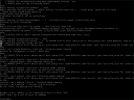
VM is created successfully but after start disk is not recognized. Any ideas?
I am trying to migrate ESXi VM to Proxmox with OVA file without success.
Follow instrucitons https://pve.proxmox.com/wiki/Migration_of_servers_to_Proxmox_VE#VMware
execute:
qm importovf 200 /tmp/exported-vm.ovf local-lvm
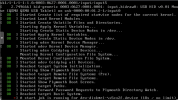
VM is created successfully but after start disk is not recognized. Any ideas?