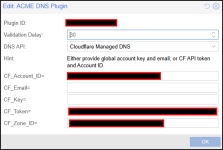
I'm new to Proxmox 9, and I'm not understanding how to set up a DNS challenge using my own DNS server that doesn't have an API.
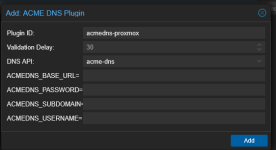
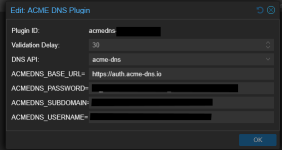
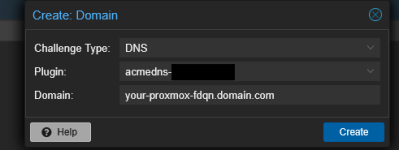
I'm trying to follow the "DNS Validation through CNAME Alias" from https://pve.proxmox.com/wiki/Certificate_Management, but I simply don't understand what I'm supposed to set up in the CNAME, nor what I'm supposed to select for the DNS API in the GUI.
My host name is 'proxmox' ... and I have complete editing rights to my domain DNS, i.e. 'mydomain.com'.
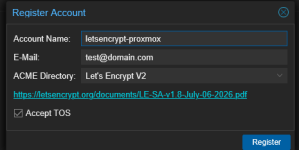
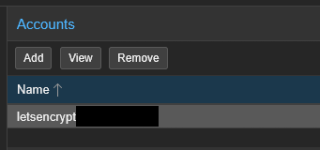
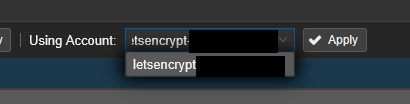
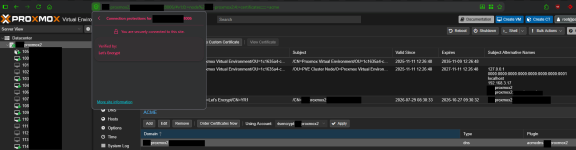
What should the CNAME I create be for the host proxmox.mydomain.com? What should the settings be in the ACME DNS Plugin config to make Lety's Encrypt work? I have already successfully setup the Let's encrypt account, but it cant' validate via https because my machine is on a private network.
Thanks!
I'm trying to follow the "DNS Validation through CNAME Alias" from https://pve.proxmox.com/wiki/Certificate_Management, but I simply don't understand what I'm supposed to set up in the CNAME, nor what I'm supposed to select for the DNS API in the GUI.
My host name is 'proxmox' ... and I have complete editing rights to my domain DNS, i.e. 'mydomain.com'.
What should the CNAME I create be for the host proxmox.mydomain.com? What should the settings be in the ACME DNS Plugin config to make Lety's Encrypt work? I have already successfully setup the Let's encrypt account, but it cant' validate via https because my machine is on a private network.
Thanks!