I'm a newbie to Linux and Linux commands, so if I'm getting things wrong please tell me. I have screenshots of my issue attached.
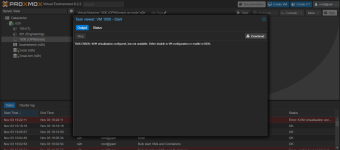
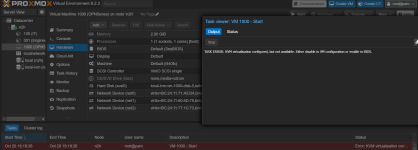
I'm doing a proxmox and OPNSense server for a cyber club, and I can't get KVM to work for my OPNSense VM.
I'm doing a proxmox and OPNSense server for a cyber club, and I can't get KVM to work for my OPNSense VM.
- I've enabled VTX and VTD in BIOS
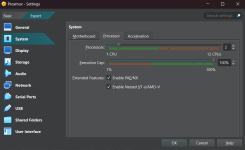
- I used this command to enable it in VirtualBox:
cd 'C:\Program Files\Oracle\VirtualBox\' VBoxManage.exe modifyvm "<insert VM name>" --nested-hw-virt on - I can only use OPNSense with KVM off, otherwise if on, VM doesn't start
- This is an issue, as it's obviously super slow and a pain to configure OPNSense now
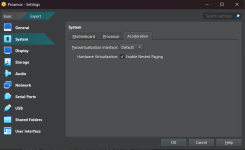
- I have enabled Nested Paging on in VirtualBox also, and left the Paravirtualization Interface on default
- When I run the
root@proxmox:~# cat /sys/module/kvm_intel/parameters/nestedcommand, I get "No such file or directory", so I can't even check if KVM is enabled or not - My CPU is a 12 Gen Intel(R) Core (TM) i3-1215U
- I tried to follow the Proxmox Wiki page "Nested Virtualization"
- I use Virtual Box and Proxmox on my Acer Laptop, if that causes any problems? I haven't tried to move my config to desktop yet.