

Hello friends,
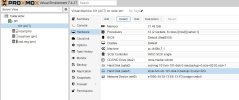
I get the io-error on a 2012r2 VM that has the following configuration:
The disk ssd-img is full:
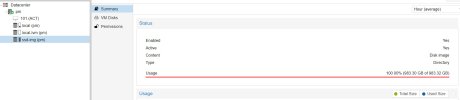
The VM raw disk has size of 999.65GB
I only run this VM on this node, how can I fix this?
The VM cannot start, I get the yellow mark and cannot access the OS so to delete the large files
I get the io-error on a 2012r2 VM that has the following configuration:
The disk ssd-img is full:
The VM raw disk has size of 999.65GB
I only run this VM on this node, how can I fix this?
The VM cannot start, I get the yellow mark and cannot access the OS so to delete the large files
Last edited:
