Intel X520-DA2 getting ~4gb not 10gb

TeleFragger

Member
Mar 22, 2022
9
1
8
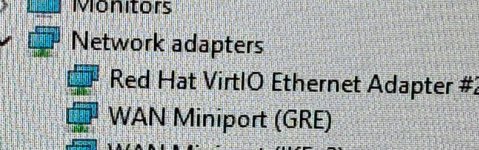
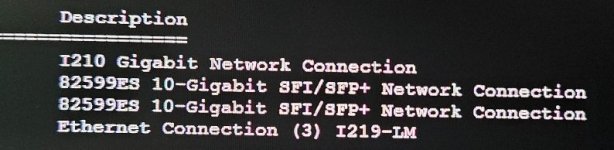
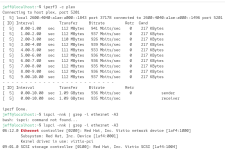
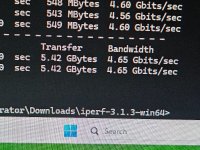
Running iperf3, I am getting roughly 4.5gb. New to proxmox but 2 physical windows machines, I got 9.08gb so I know it can and something I might need to tweek?

New to proxmox and learning a lot.
Appreciate any assistance
Or is this expected, botus, etc?
 

Attachments

  • 20251204_192341.jpg
    20251204_192341.jpg
    163.3 KB · Views: 7
  • 20251204_193028.jpg
    20251204_193028.jpg
    85.1 KB · Views: 7
  • 20251204_193057.jpg
    20251204_193057.jpg
    40.5 KB · Views: 7
after posting this, google said to do
Key Proxmox & VM Settings
  1. Check NIC Speed & Duplex: Use ethtool -s <interface> speed 10000 duplex full on the Proxmox host to force 10Gbps and full duplex if autonegotiation fails.
  2. Multiqueue: In the VM's hardware settings (GUI), select the virtio NIC and set "Multiqueue" to 8 (or higher) for better performance.
That got me to 5.35gb

then google said to set iperf3 with -P 8 switch and now I am getting 6.15gb... guessing I should be happy here!
 
Last edited:
In proxmox, check your ring buffer size:
Code:
ethtool -g enp5s0
    Ring parameters for enp5s0:
    Pre-set maximums:
    RX:             8192 <--
    RX Mini:        n/a
    RX Jumbo:       n/a
    TX:             8192 <--
    Current hardware settings:
    RX:             8192
    RX Mini:        n/a
    RX Jumbo:       n/a
    TX:             8192
    RX Buf Len:             n/a
    CQE Size:               n/a
    TX Push:        off
    TCP data split: n/a

And set it to max: ethtool -G enp5s0 rx 8192 tx 8192

It it solves your issue, then it needs to be set every time you reboot:
Code:
cat /etc/network/interfaces
iface enp5s0 inet manual
        post-up ethtool -G enp5s0 rx 8192 tx 8192
 
In proxmox, check your ring buffer size:
Code:
ethtool -g enp5s0
    Ring parameters for enp5s0:
    Pre-set maximums:
    RX:             8192 <--
    RX Mini:        n/a
    RX Jumbo:       n/a
    TX:             8192 <--
    Current hardware settings:
    RX:             8192
    RX Mini:        n/a
    RX Jumbo:       n/a
    TX:             8192
    RX Buf Len:             n/a
    CQE Size:               n/a
    TX Push:        off
    TCP data split: n/a

And set it to max: ethtool -G enp5s0 rx 8192 tx 8192

It it solves your issue, then it needs to be set every time you reboot:
Code:
cat /etc/network/interfaces
iface enp5s0 inet manual
        post-up ethtool -G enp5s0 rx 8192 tx 8192

nice... adding..
i had

Code:
ethtool -g enx90e2bae68254
Ring parameters for nic2:
Pre-set maximums:
RX:                     8192
RX Mini:                n/a
RX Jumbo:               n/a
TX:                     8192
TX push buff len:       n/a
Current hardware settings:
RX:                     512
RX Mini:                n/a
RX Jumbo:               n/a
TX:                     512
RX Buf Len:             n/a
CQE Size:               n/a
TX Push:                off
RX Push:                off
TX push buff len:       n/a
TCP data split:         n/a


now i have
Code:
ethtool -g enx90e2bae68254
Ring parameters for nic2:
Pre-set maximums:
RX:                     8192
RX Mini:                n/a
RX Jumbo:               n/a
TX:                     8192
TX push buff len:       n/a
Current hardware settings:
RX:                     8192
RX Mini:                n/a
RX Jumbo:               n/a
TX:                     8192
RX Buf Len:             n/a
CQE Size:               n/a
TX Push:                off
RX Push:                off
TX push buff len:       n/a
TCP data split:         n/a
 
been following various youtubes, etc.. and i bet this can be cleaned up or some not needed...

thoughts?

code_language.rust:
auto lo
iface lo inet loopback

iface nic0 inet manual

iface nic1 inet manual

iface nic2 inet manual

iface nic3 inet manual

auto vmbr0
iface vmbr0 inet static
        address 192.168.1.247/24
        gateway 192.168.1.1
        bridge-ports nic0
        bridge-stp off
        bridge-fd 0

auto vmbr1
iface vmbr1 inet manual
        bridge-ports nic2
        bridge-stp off
        bridge-fd 0

auto LocalOnly
iface LocalOnly inet manual
        bridge-ports nic3
        bridge-stp off
        bridge-fd 0

cat /etc/network/interfaces
iface enx90e2bae68254 inet manual
        post-up ethtool -G enx90e2bae68254 rx 8192 tx 8192

source /etc/network/interfaces.d/*

1765198613412.png