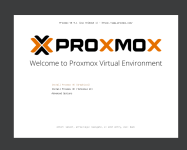
Howdy. I want to start dabbing around with VMs however haven't had much luck with other software and wanted to try out Proxmox (especially as I want to invest in a homelab eventually and will more than likely be using it on there.) However, the current PC I am using only has one 512gb SSD & I have a external 2tb HDD I've bought off amazon. The issue is I have data on both of them I don't want to loose (one storing my windows install & games while the other is storing my misc apps, random downloads, pictures, videos, etc). Once I was in the Proxmox installer I read that it will delete all the data on the disk I select which obviously I don't want. So I did some googling and found a reddit post from a user with a similar issue however it didn't really answer my question (just made me more confused lol.) Essentially I'm just curious if there is a way I can make an additional say 500gb partition on my external and use that without it deleting the rest of the data on the external HDD. That way I can still use the remaining 1.5tb for storing my misc apps, random downloads, pictures, videos, etc but still have proxmox to dab around with whenever I want
Installation question
- Thread starter nomanz_
- Start date
You are using an out of date browser. It may not display this or other websites correctly.
You should upgrade or use an alternative browser.
You should upgrade or use an alternative browser.

The Proxmox installer does not support this (as it is not a enterprise use-case). Note that you cannot manage Proxmox from the same system and you need a separate system to manage it remotely.
In general, if you don't want to lose your data then you should make backups (and test them). After making backups you would wipe the drive and install Proxmox.
Alternatively, you can install Debian first (see the manual) but you'll have to be careful not to accidentally delete your existing data. Anyway, I suggest making backups and/or buying an additional drive for Proxmox.
In general, if you don't want to lose your data then you should make backups (and test them). After making backups you would wipe the drive and install Proxmox.
Alternatively, you can install Debian first (see the manual) but you'll have to be careful not to accidentally delete your existing data. Anyway, I suggest making backups and/or buying an additional drive for Proxmox.


Hi,
first off - as said above, always have backups of your data, no matter what.
But yeah, this isn't supported. If you just want to try it out Proxmox VE and dabble around with it, you can set up a virtual machine on top of your existing system and install it there. Of course nested virtualization does have a performance hit, but for just trying things out it should be fine
first off - as said above, always have backups of your data, no matter what.
But yeah, this isn't supported. If you just want to try it out Proxmox VE and dabble around with it, you can set up a virtual machine on top of your existing system and install it there. Of course nested virtualization does have a performance hit, but for just trying things out it should be fine
The issue with that is I don't have much space on the
Only issue with that is I don't have much space on the SSD (hence the external to help minimize the amount of space being used so I can have more games on my SSD) & the external is bigger than my SSD so backing up the data isn't really a option as where am I supposed to put 600+GB of storage as no cloud provider (for free) is going to store that for me (and I don't balme them.) If I setup Debian than install proxmox would it still overwrite the whole disk that the install is on or just the partition? (IE, say I make a 500GB partition of my external and install & setup Debian on it than install & setup proxmox on that manually, will it use my entire external still or just the 500gb partition) I may end up just doing it this way or worst comes worst just setting up a VM in virtualbox or something and using that as SSDs are a bit out of my price range to just go and comfortably buy atm. Especially a NVME one that's over 150GBThe Proxmox installer does not support this (as it is not a enterprise use-case). Note that you cannot manage Proxmox from the same system and you need a separate system to manage it remotely.
In general, if you don't want to lose your data then you should make backups (and test them). After making backups you would wipe the drive and install Proxmox.
Alternatively, you can install Debian first (see the manual) but you'll have to be careful not to accidentally delete your existing data. Anyway, I suggest making backups and/or buying an additional drive for Proxmox.
Last edited:
This works too.Hi,
first off - as said above, always have backups of your data, no matter what.
But yeah, this isn't supported. If you just want to try it out Proxmox VE and dabble around with it, you can set up a virtual machine on top of your existing system and install it there. Of course nested virtualization does have a performance hit, but for just trying things out it should be fine
Tried this however no luck. I am able to get the installation screen to boot however once I choose either the graphical installer or terminal installer the screen just goes blackHi,
first off - as said above, always have backups of your data, no matter what.
But yeah, this isn't supported. If you just want to try it out Proxmox VE and dabble around with it, you can set up a virtual machine on top of your existing system and install it there. Of course nested virtualization does have a performance hit, but for just trying things out it should be fine
You can tryonce I choose either the graphical installer or terminal installer the screen just goes black
nomodeset option in GRUB(
add
nomodeset to the end of kernel command line.For the details see
https://pve.proxmox.com/wiki/Installation#nomodeset_kernel_param
Last edited:
What? This isn't debian this is on a VM. I am able to get this screen to load but whenever I select either of the options the screen just goes black and stays blackYou can trynomodesetoption in GRUB (press Esc or Tab and addnomodesetto the end of kernel command line).
For the details see
https://pve.proxmox.com/wiki/Installation#nomodeset_kernel_param