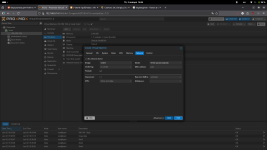
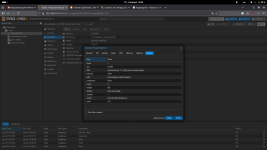
I have trouble with VM

hicko

New Member
Jan 2, 2026
5
0
1
Hi all!
I have problem downloading the operating system on a virtual machine

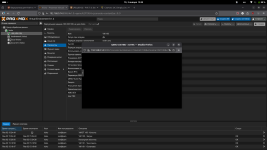
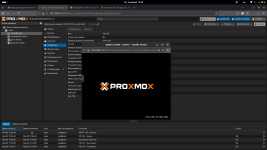
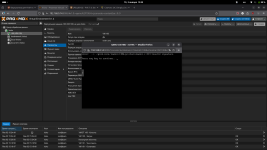
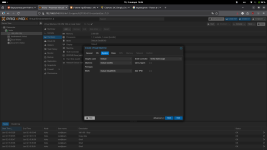
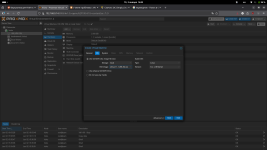
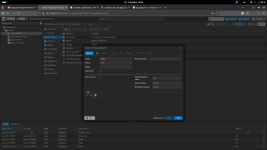
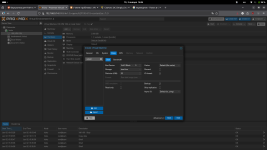
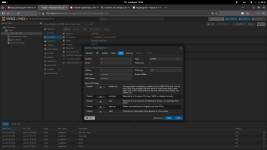
I'm in an endless loop and I don't even know how to describe it. I've attached screenshots below, thank you!

I'm a Russian user and I really want to understand the problem, sorry for my English. т-т
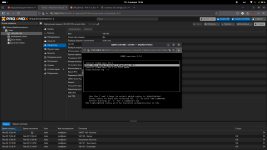
 

Attachments

  • Снимок экрана от 2026-01-02 15-24-58.png
    Снимок экрана от 2026-01-02 15-24-58.png
    169.6 KB · Views: 11
  • Снимок экрана от 2026-01-02 15-25-06.png
    Снимок экрана от 2026-01-02 15-25-06.png
    163.7 KB · Views: 11
  • Снимок экрана от 2026-01-02 15-25-27.png
    Снимок экрана от 2026-01-02 15-25-27.png
    199.9 KB · Views: 11
  • Снимок экрана от 2026-01-02 15-25-48.png
    Снимок экрана от 2026-01-02 15-25-48.png
    165.4 KB · Views: 11
Did you add an EFI disk with Pre-Enrolled keys? Then Secure Boot is enabled and not every Linux Distro can boot with that.

Remove the EFI disk and add a new one with the "Pre-Enrolled keys" checkbox disabled and try again :)
 
Did you add an EFI disk with Pre-Enrolled keys? Then Secure Boot is enabled and not every Linux Distro can boot with that.

Remove the EFI disk and add a new one with the "Pre-Enrolled keys" checkbox disabled and try again
Did you add an EFI disk with Pre-Enrolled keys? Then Secure Boot is enabled and not every Linux Distro can boot with that.

Remove the EFI disk and add a new one with the "Pre-Enrolled keys" checkbox disabled and try again :)
Where i can do it and how?(
 
Did you add an EFI disk with Pre-Enrolled keys? Then Secure Boot is enabled and not every Linux Distro can boot with that.

Remove the EFI disk and add a new one with the "Pre-Enrolled keys" checkbox disabled and try again :)
I use simply linux and settings in create VM and i can download OC!! Thank you very much!!!
 

Attachments

  • Снимок экрана от 2026-01-02 16-04-04.png
    Снимок экрана от 2026-01-02 16-04-04.png
    153.3 KB · Views: 6
  • Снимок экрана от 2026-01-02 16-03-54.png
    Снимок экрана от 2026-01-02 16-03-54.png
    155 KB · Views: 6
  • Снимок экрана от 2026-01-02 16-03-46.png
    Снимок экрана от 2026-01-02 16-03-46.png
    156.1 KB · Views: 6
  • Снимок экрана от 2026-01-02 16-04-21.png
    Снимок экрана от 2026-01-02 16-04-21.png
    164.6 KB · Views: 6
  • Снимок экрана от 2026-01-02 16-04-36.png
    Снимок экрана от 2026-01-02 16-04-36.png
    189 KB · Views: 6
  • Снимок экрана от 2026-01-02 16-04-47.png
    Снимок экрана от 2026-01-02 16-04-47.png
    151.2 KB · Views: 4
  • Снимок экрана от 2026-01-02 16-04-55.png
    Снимок экрана от 2026-01-02 16-04-55.png
    156.7 KB · Views: 3
  • Снимок экрана от 2026-01-02 16-05-02.png
    Снимок экрана от 2026-01-02 16-05-02.png
    162.7 KB · Views: 5
can you please post the full config of the VM? You get it by running qm config 100 on the CLI
What is the hardware of the host? Mainly, which CPU is used? What is the output if you run lscpu on the CLI?

Please paste the output within CODE tags, or use the formatting buttons at the top of the editor.

Maybe the ISO from which you try to boot is broken? Have you tried downloading it again?

I use only kvm64 because when I use other settings I cant launch VM
How can you not launch the VM? Any error messages?