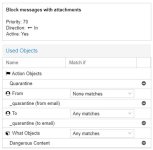
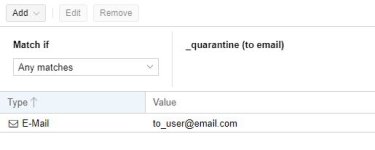
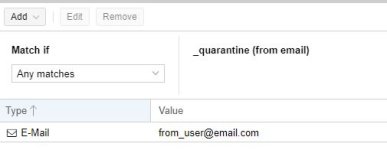
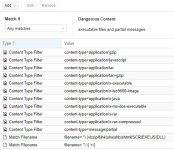
I'm trying to find a solution for the requirement "all mails to a specific receiver-address with attachments should be put in quarantine if not on whitelist" and thought the "custom rules/actions" would be the right point to start. But I'm missing any documentation and example how to use it. The short description in the help is not enough for me to get going it seems.
Is there any tutorial about usage of custom mail-filtering rules somewhere?
If not, how would I start? I a bit lost ATM.
Many thanks in advance!
Is there any tutorial about usage of custom mail-filtering rules somewhere?
If not, how would I start? I a bit lost ATM.
Many thanks in advance!