how to add a new backup plan schedule?

Jianming

New Member
Oct 30, 2025
6
0
1
Hello Everyone


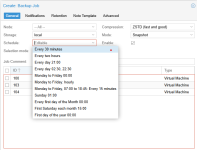
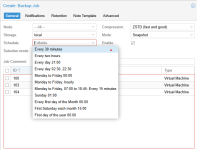
Who knows, in Schedule, how do add new backup time points?
such as i'd like to add Every day 23:00.

thanks

1234.png
 

Attachments

  • 1234.png
    1234.png
    42.1 KB · Views: 2
Last edited:
Thanks Neobin

Originally, I thought that this drop-down list could only be selected, not edited.

thanks for your explanation
 
Hi,

To add a custom backup time like every day at 23:00, you need to use the Custom option in the Schedule field.
Steps:

  1. Go to Datacenter → Backup.
  2. Click Add or Edit on your backup job.
  3. In the Schedule drop-down
  4. Now you can type your own time — for daily 23:00 enter:

    23:00

  5. Save the job.
 
Last edited: