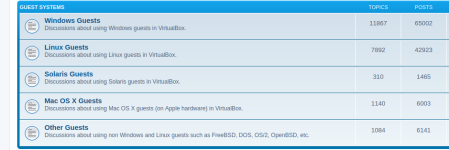
I do not see a section for guest issues, perhaps something to consider.
Proxmox Guest Issues
> Windows
> Linux
In any case, I have migrated a Windows 10 guest from VMware to Proxmox and
am seeing an issue which has apparently been around. Whenever the machine
boots it has the wrong time. I have tried, I believe, all the known fixes but am open to suggestions.
You would think the Windows NTP service would sort it out, but no.
Proxmox Guest Issues
> Windows
> Linux
In any case, I have migrated a Windows 10 guest from VMware to Proxmox and
am seeing an issue which has apparently been around. Whenever the machine
boots it has the wrong time. I have tried, I believe, all the known fixes but am open to suggestions.
You would think the Windows NTP service would sort it out, but no.