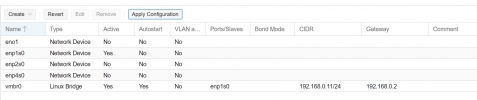
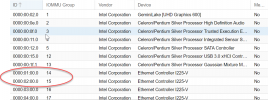
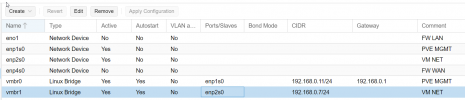
Hi All
I bought this small mini PC and I am trying to passthrough two of the LAN's for Pfsense
Following this guide:
https://www.servethehome.com/how-to-pass-through-pcie-nics-with-proxmox-ve-on-intel-and-amd/
Unfortunately I cant get the IOMMU enabled?
1) Fresh install of Proxmox ve 7.1-2
2) Setup VM for pfsense:
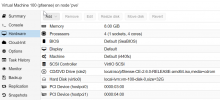
I did not start the VM
1) Determine if you are Using GRUB or systemd

2) nano /etc/kernel/cmdline
No such file existed? so I created one and added:

3) Now we need to refresh our boot tool.

4) Add Modules
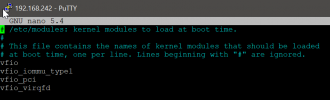
5) Reboot
6) dmesg | grep -e DMAR -e IOMMU
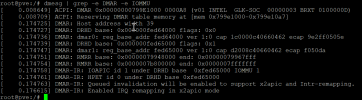
I don't get the..... "IOMMU enabled"
What am I doing wrong?
Regards
/Casperse
I bought this small mini PC and I am trying to passthrough two of the LAN's for Pfsense
Following this guide:
https://www.servethehome.com/how-to-pass-through-pcie-nics-with-proxmox-ve-on-intel-and-amd/
Unfortunately I cant get the IOMMU enabled?
1) Fresh install of Proxmox ve 7.1-2
2) Setup VM for pfsense:
I did not start the VM
1) Determine if you are Using GRUB or systemd
2) nano /etc/kernel/cmdline
No such file existed? so I created one and added:
3) Now we need to refresh our boot tool.
4) Add Modules
5) Reboot
6) dmesg | grep -e DMAR -e IOMMU
I don't get the..... "IOMMU enabled"
What am I doing wrong?
Regards
/Casperse