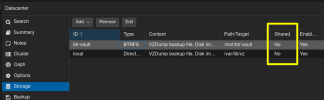
I made a rookie move. Was trying to cleanup some mistakes I'd done with trying to share storage by adding them to the datacenter level. So I removed items from there that seemed to not be loading right. I have two nodes and the drives showed on the other node but with an ! icon next to them.
Now I the volumes are gone from both the correct node and the one that it was shared to. I see they are still mounted but it looks like the volumes were removed from the respective /etc/pve/storage.cfg files.
How would I recreate them?
Sorry for the terrible explanation I'm battling a cold. Should have just watched anime all night instead!
Now I the volumes are gone from both the correct node and the one that it was shared to. I see they are still mounted but it looks like the volumes were removed from the respective /etc/pve/storage.cfg files.
How would I recreate them?
Sorry for the terrible explanation I'm battling a cold. Should have just watched anime all night instead!