

I am using PVE 7.4-1 and running a MacOS Venura on it, which works very well.
However, I run into problems when trying to connect to a Wi-Fi network:
I have a Native Apple Card BCM94360CS passed to the VM, it's immediately recognized and the BT works perfectly. However, when I enter the password of a Wi-Fi network and try to connect, macOS crash almost instantly. If it doesn't connect to a wifi network it's good.
Strangely it works when connected to an unencrypted wifi network.
I tried a clean installation of MacOS Monterey 12.6, same issue.
The card worked perfectly with my other VMs such as Ubuntu and Windows11. But on the MacOS, I just can't connect to a Wi-Fi network.
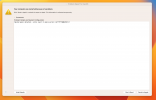
After restart by itself, a panic report shows as below:
Nested panic detected.
However, I run into problems when trying to connect to a Wi-Fi network:
I have a Native Apple Card BCM94360CS passed to the VM, it's immediately recognized and the BT works perfectly. However, when I enter the password of a Wi-Fi network and try to connect, macOS crash almost instantly. If it doesn't connect to a wifi network it's good.
Strangely it works when connected to an unencrypted wifi network.
I tried a clean installation of MacOS Monterey 12.6, same issue.
The card worked perfectly with my other VMs such as Ubuntu and Windows11. But on the MacOS, I just can't connect to a Wi-Fi network.
After restart by itself, a panic report shows as below:
Nested panic detected.
