

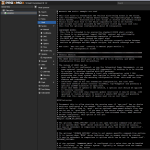
Yes. This might be a stupid question, but the colors aren't displayed in the Proxmox Node Shell.
It works fine, but the lack of color differentiation makes it difficult to see.
I haven't modified any environment variables like
.bashrc. The only thing I'm suspicious of is that I upgraded from PVE 7 to 8 and then to 9.Below is the shell of a node installed with PVE 9 from the beginning.
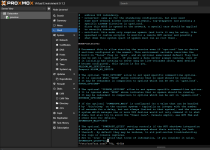
I want the colors to appear like this.
I tried moving all the environment variable files in the root folder where the colors are displayed, but that didn't solve the problem. I also reinstalled
ncurses-base, bash, coreutils, but the result was the same.What's the difference between these two nodes?
If anyone knows a solution, I'd appreciate it if you could help.
Last edited:
