

Info:
Problem:
I have 3 hosts with 2 ceph pools. An ssd pool and an hdd pool. I want to remove the hdd pool and all of the osds.
I was able to delete the ceph hdd pool and I took out all of the osds, except the last one. No matter which it is, I cannot DOWN the last osd either through the GUI or via CLI:
I also cannot purge it:
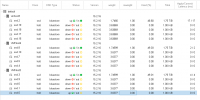
Here's are latest entries for the log for osd.0
I don't see any error messages for downing the osd.
I tried the following flags: nobackfill, norebalance, norecover but those didn't do anything.
If I start up one OSD on the other hosts, then I can down osd.0 but then if I try and bring down the other osds the LAST osb always stays UP.
What can I do to remove this last osd cleanly?
Code:
proxmox-ve: 7.1-1 (running kernel: 5.13.19-6-pve)
pve-manager: 7.1-12 (running version: 7.1-12/b3c09de3)
pve-kernel-helper: 7.1-14
pve-kernel-5.13: 7.1-9
pve-kernel-5.11: 7.0-10
pve-kernel-5.13.19-6-pve: 5.13.19-15
pve-kernel-5.13.19-3-pve: 5.13.19-7
pve-kernel-5.13.19-2-pve: 5.13.19-4
pve-kernel-5.11.22-7-pve: 5.11.22-12
ceph: 15.2.16-pve1
ceph-fuse: 15.2.16-pve1
corosync: 3.1.5-pve2
criu: 3.15-1+pve-1
glusterfs-client: 9.2-1
ifupdown: residual config
ifupdown2: 3.1.0-1+pmx3
ksm-control-daemon: 1.4-1
libjs-extjs: 7.0.0-1
libknet1: 1.22-pve2
libproxmox-acme-perl: 1.4.1
libproxmox-backup-qemu0: 1.2.0-1
libpve-access-control: 7.1-7
libpve-apiclient-perl: 3.2-1
libpve-common-perl: 7.1-5
libpve-guest-common-perl: 4.1-1
libpve-http-server-perl: 4.1-1
libpve-storage-perl: 7.1-1
libqb0: 1.0.5-1
libspice-server1: 0.14.3-2.1
lvm2: 2.03.11-2.1
lxc-pve: 4.0.11-1
lxcfs: 4.0.11-pve1
novnc-pve: 1.3.0-2
proxmox-backup-client: 2.1.5-1
proxmox-backup-file-restore: 2.1.5-1
proxmox-mini-journalreader: 1.3-1
proxmox-widget-toolkit: 3.4-7
pve-cluster: 7.1-3
pve-container: 4.1-4
pve-docs: 7.1-2
pve-edk2-firmware: 3.20210831-2
pve-firewall: 4.2-5
pve-firmware: 3.3-6
pve-ha-manager: 3.3-3
pve-i18n: 2.6-2
pve-qemu-kvm: 6.1.1-2
pve-xtermjs: 4.16.0-1
qemu-server: 7.1-4
smartmontools: 7.2-pve2
spiceterm: 3.2-2
swtpm: 0.7.1~bpo11+1
vncterm: 1.7-1
zfsutils-linux: 2.1.4-pve1
Code:
# begin crush map
tunable choose_local_tries 0
tunable choose_local_fallback_tries 0
tunable choose_total_tries 50
tunable chooseleaf_descend_once 1
tunable chooseleaf_vary_r 1
tunable chooseleaf_stable 1
tunable straw_calc_version 1
tunable allowed_bucket_algs 54

# devices
device 0 osd.0 class hdd
device 1 osd.1 class hdd
device 2 osd.2 class ssd
device 3 osd.3 class ssd
device 4 osd.4 class hdd
device 5 osd.5 class hdd
device 6 osd.6 class hdd
device 7 osd.7 class hdd
device 8 osd.8 class ssd
device 9 osd.9 class hdd
device 10 osd.10 class hdd
device 16 osd.16 class hdd
device 17 osd.17 class hdd
device 18 osd.18 class hdd
device 19 osd.19 class hdd

# types
type 0 osd
type 1 host
type 2 chassis
type 3 rack
type 4 row
type 5 pdu
type 6 pod
type 7 room
type 8 datacenter
type 9 region
type 10 root

# buckets
host VMHost2 {
    id -3        # do not change unnecessarily
    id -4 class hdd        # do not change unnecessarily
    id -9 class ssd        # do not change unnecessarily
    # weight 16.297
    alg straw2
    hash 0    # rjenkins1
    item osd.0 weight 3.638
    item osd.1 weight 3.638
    item osd.6 weight 3.638
    item osd.9 weight 3.638
    item osd.3 weight 1.746
}
host VMHost4 {
    id -7        # do not change unnecessarily
    id -8 class hdd        # do not change unnecessarily
    id -11 class ssd        # do not change unnecessarily
    # weight 16.297
    alg straw2
    hash 0    # rjenkins1
    item osd.4 weight 3.638
    item osd.5 weight 3.638
    item osd.7 weight 3.638
    item osd.10 weight 3.638
    item osd.8 weight 1.746
}
host vmhost3 {
    id -5        # do not change unnecessarily
    id -6 class hdd        # do not change unnecessarily
    id -10 class ssd        # do not change unnecessarily
    # weight 16.301
    alg straw2
    hash 0    # rjenkins1
    item osd.16 weight 3.639
    item osd.17 weight 3.639
    item osd.18 weight 3.639
    item osd.19 weight 3.639
    item osd.2 weight 1.747
}
root default {
    id -1        # do not change unnecessarily
    id -2 class hdd        # do not change unnecessarily
    id -12 class ssd        # do not change unnecessarily
    # weight 48.895
    alg straw2
    hash 0    # rjenkins1
    item VMHost2 weight 16.297
    item VMHost4 weight 16.297
    item vmhost3 weight 16.301
}

# rules
rule replicated_hdd {
    id 1
    type replicated
    min_size 1
    max_size 10
    step take default class hdd
    step chooseleaf firstn 0 type host
    step emit
}
rule replicated_ssd {
    id 2
    type replicated
    min_size 1
    max_size 10
    step take default class ssd
    step chooseleaf firstn 0 type host
    step emit
}

# end crush map
Problem:
I have 3 hosts with 2 ceph pools. An ssd pool and an hdd pool. I want to remove the hdd pool and all of the osds.
I was able to delete the ceph hdd pool and I took out all of the osds, except the last one. No matter which it is, I cannot DOWN the last osd either through the GUI or via CLI:
Code:
systemctl stop ceph-osd@0I also cannot purge it:
Code:
ceph osd purge 0 --yes-i-really-mean-it
Error EBUSY: osd.0 is not `down`.
Here's are latest entries for the log for osd.0
Code:
** File Read Latency Histogram By Level [default] **

2022-04-15T09:12:14.362-0500 7f1f4c81fd80  1 bluestore(/var/lib/ceph/osd/ceph-0) _upgrade_super from 4, latest 4
2022-04-15T09:12:14.362-0500 7f1f4c81fd80  1 bluestore(/var/lib/ceph/osd/ceph-0) _upgrade_super done
2022-04-15T09:12:14.398-0500 7f1f4c81fd80  0 <cls> ./src/cls/cephfs/cls_cephfs.cc:198: loading cephfs
2022-04-15T09:12:14.398-0500 7f1f4c81fd80  0 _get_class not permitted to load kvs
2022-04-15T09:12:14.418-0500 7f1f4c81fd80  0 <cls> ./src/cls/hello/cls_hello.cc:312: loading cls_hello
2022-04-15T09:12:14.498-0500 7f1f4c81fd80  0 _get_class not permitted to load queue
2022-04-15T09:12:14.498-0500 7f1f4c81fd80  0 _get_class not permitted to load sdk
2022-04-15T09:12:14.498-0500 7f1f4c81fd80  0 _get_class not permitted to load lua
2022-04-15T09:12:14.510-0500 7f1f4c81fd80  0 osd.0 8490937 crush map has features 288514051259236352, adjusting msgr requires for clients
2022-04-15T09:12:14.510-0500 7f1f4c81fd80  0 osd.0 8490937 crush map has features 288514051259236352 was 8705, adjusting msgr requires for mons
2022-04-15T09:12:14.510-0500 7f1f4c81fd80  0 osd.0 8490937 crush map has features 3314933000852226048, adjusting msgr requires for osds
2022-04-15T09:12:14.670-0500 7f1f4c81fd80  0 osd.0 8490937 load_pgs
2022-04-15T09:12:18.014-0500 7f1f4c81fd80  0 osd.0 8490937 load_pgs opened 7 pgs
2022-04-15T09:12:18.014-0500 7f1f4c81fd80 -1 osd.0 8490937 log_to_monitors {default=true}
2022-04-15T09:12:18.254-0500 7f1f43534700  4 rocksdb: [db/compaction_job.cc:1327] [default] [JOB 3] Generated table #42618: 560235 keys, 28096695 bytes
2022-04-15T09:12:18.254-0500 7f1f43534700  4 rocksdb: EVENT_LOG_v1 {"time_micros": 1650031938260515, "cf_name": "default", "job": 3, "event": "table_file_creation", "file_number": 42618, "file_si>
2022-04-15T09:12:18.254-0500 7f1f43534700  4 rocksdb: [db/compaction_job.cc:1392] [default] [JOB 3] Compacted 4@0 + 1@1 files to L1 => 28096695 bytes
2022-04-15T09:12:18.262-0500 7f1f43534700  4 rocksdb: (Original Log Time 2022/04/15-09:12:18.268210) [db/compaction_job.cc:751] [default] compacted to: files[0 1 1 0 0 0 0] max score 0.56, MB/sec>

2022-04-15T09:12:18.262-0500 7f1f43534700  4 rocksdb: (Original Log Time 2022/04/15-09:12:18.268240) EVENT_LOG_v1 {"time_micros": 1650031938268226, "job": 3, "event": "compaction_finished", "comp>
2022-04-15T09:12:18.262-0500 7f1f43534700  4 rocksdb: EVENT_LOG_v1 {"time_micros": 1650031938268405, "job": 3, "event": "table_file_deletion", "file_number": 42613}
2022-04-15T09:12:18.262-0500 7f1f43534700  4 rocksdb: EVENT_LOG_v1 {"time_micros": 1650031938268441, "job": 3, "event": "table_file_deletion", "file_number": 42610}
2022-04-15T09:12:18.262-0500 7f1f43534700  4 rocksdb: EVENT_LOG_v1 {"time_micros": 1650031938268483, "job": 3, "event": "table_file_deletion", "file_number": 42607}
2022-04-15T09:12:18.262-0500 7f1f43534700  4 rocksdb: EVENT_LOG_v1 {"time_micros": 1650031938268531, "job": 3, "event": "table_file_deletion", "file_number": 42604}
2022-04-15T09:12:18.262-0500 7f1f43534700  4 rocksdb: EVENT_LOG_v1 {"time_micros": 1650031938268577, "job": 3, "event": "table_file_deletion", "file_number": 42602}
2022-04-15T09:12:18.374-0500 7f1f4c81fd80  0 osd.0 8490937 done with init, starting boot process
2022-04-15T09:12:18.398-0500 7f1f45d39700 -1 osd.0 8490937 set_numa_affinity unable to identify public interface '' numa node: (2) No such file or directory
2022-04-15T09:15:07.283-0500 7f1f48fcf700 -1 received  signal: Terminated from /sbin/init  (PID: 1) UID: 0
2022-04-15T09:15:07.283-0500 7f1f48fcf700 -1 osd.0 8490968 *** Got signal Terminated ***
2022-04-15T09:15:07.283-0500 7f1f48fcf700 -1 osd.0 8490968 *** Immediate shutdown (osd_fast_shutdown=true) ***
I don't see any error messages for downing the osd.
I tried the following flags: nobackfill, norebalance, norecover but those didn't do anything.
If I start up one OSD on the other hosts, then I can down osd.0 but then if I try and bring down the other osds the LAST osb always stays UP.
What can I do to remove this last osd cleanly?
Last edited: