

[SOLVED] Broken Web Interface (Create VM and LXC Windows Hidden Behind Main Window)

BuFf0k

New Member
Jul 27, 2021
7
1
3
40
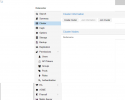
Hi all, after an update to Proxmox 7 I have an interesting problem on one of my servers. In the WebUI, when you click Create VM or Create LXC, the popup that should display is hidden behind the main display window and therefore inaccessible. I have reinstalled the WebUI (apt install --reinstall pve-manager proxmox-widget-toolkit libjs-extjs), cleared browser cache (Edge Chromium), tried different browsers (Chrome, Firefox) but the issue seems to be related only to this one server.
Any thoughts on this? None of my two other Proxmox VE installs had this issue and they all work fine.
This applies to most such popup windows (Edit Devices, etc.)
 

Attachments
  • Screenshot 2021-07-27 190118.png
    Screenshot 2021-07-27 190118.png
    26.7 KB · Views: 6
Last edited:
Hi,
sounds strange indeed. When you open the developer tools of your browser (usually Ctrl+Shift+C), reload the page and open such a window, is there an error in the Console tab or are there failed request in the Network tab?

Any difference when you compare the output of pveversion -v between this server and a working one?
 
Hi,
sounds strange indeed. When you open the developer tools of your browser (usually Ctrl+Shift+C), reload the page and open such a window, is there an error in the Console tab or are there failed request in the Network tab?

Any difference when you compare the output of pveversion -v between this server and a working one?
Hi Fabien_E:

There were no issues with developer tools open, nor were there indiscrepencies with pveversion -v. Despite having tried several ways of clearing cache, the issue was resolved after performing an apt update last night (This was not the first time I have done this, but clearly something in the latest PVE updates reinstalled the corrupt module).

Thank you for the response, however I am still curious on the actual issue which caused it.