Boot IMG

deanfourie

Member
Jan 28, 2023
58
2
13
Can someone please help me boot a raw IMG file.

I'm trying to run Volumio and it only offers a IMG file.

Would appreciate it as I'm been fighting with I for a few days now.

Thanks
 
Hi,

you can try converting the file with qemu-img convert to a qcow2 file:
Code:
qemu-img convert -O qcow2 file.img file.qcow2
and then import that to your VM using qm importdisk:
Code:
qm importdisk <vmid> file.qcow2 <storage>
…the import might also just work with the raw file, but I haven't tested it
 
Last edited:
  • Like
Reactions: takeokun
Importing the RAW file works.

But the disk is not bootable?

I chose the RAW disk image as the disk format and used SATA as the device.
 
Please post your VM config: qm config <vmid>. Which image did you choose on the website?
 
Sure, see below.

I chose the PC x86_64 version.

Thanks

Code:
root@vm:~# qm config 103
boot: order=scsi0;ide2;net0
cores: 4
ide2: none,media=cdrom
memory: 2048
meta: creation-qemu=7.1.0,ctime=1675769481
name: Volumio
net0: virtio=62:82:CB:C7:E3:1E,bridge=vmbr1,firewall=1
numa: 0
ostype: l26
scsi0: local:103/vm-103-disk-0.raw,iothread=1,size=16G
scsihw: virtio-scsi-single
smbios1: uuid=d0342591-e159-4307-a9dd-e36a35c4e7cf
sockets: 1
vmgenid: d923db17-5b65-45ed-a3f6-6769b7e3bd12
root@vm:~#
 
I did read somewhere that someone managed to get it working by stripping the image of UEFI.

How can I test boot it in UEFI.

Sorry pretty new to proxmox, I take it it is in the system options somewhere when setting up the VM.
 
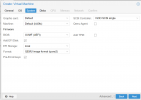
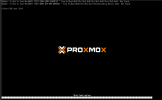
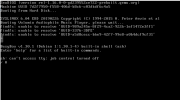
Ok, i've tried to enable UEFI. I've setup a new machine as per the photos below but I get the following error on boot.

Capture3.PNG

Capture2.PNG