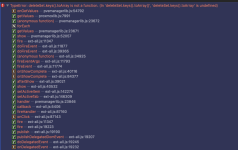
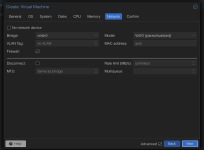
on a 2 node cluster, trying to install fedora workstation v43 live using iso will get me to a blank screen on the network tab at the very end of the modal.
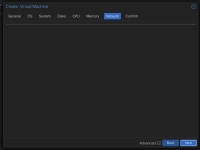
although clicking back can navigate me back, clicking next doesn't take me anywhere, and I'm stuck at the networking step with no way to proceed.
1. both nodes are running pveversion 9.1.2
2. not sure if this is related, but I did install proxmox on my first node with hostname A and then changed it to hostname B. this caused some issues, including breaking corosync. had to manually modify files and etc to get the node back up again. this issue installing VMs may be a remnant of that renaming, though my second node was not renamed and has stayed the same hostname since inception, yet I'm still unable to install the VM on either node using the webUI.
3. ssh-ing into a node and using qm cli commands to create the VM works just fine, and the UI reflects the creation. the CLI options I set aligned 1:1 with the UI options I picked. Yet UI gets stuck while CLI works.
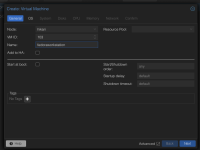
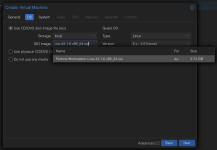
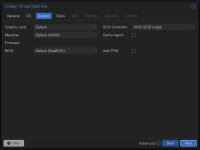
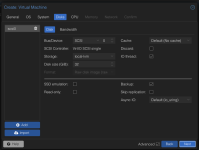
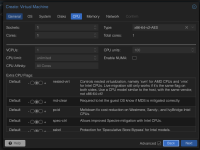
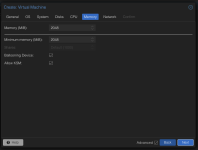
Here are screenshots of what I had selected prior to getting stuck on the network tab. I just took defaults, though I have also tried changing various options like machine type to q35 or ram/core count to no avail
although clicking back can navigate me back, clicking next doesn't take me anywhere, and I'm stuck at the networking step with no way to proceed.
1. both nodes are running pveversion 9.1.2
2. not sure if this is related, but I did install proxmox on my first node with hostname A and then changed it to hostname B. this caused some issues, including breaking corosync. had to manually modify files and etc to get the node back up again. this issue installing VMs may be a remnant of that renaming, though my second node was not renamed and has stayed the same hostname since inception, yet I'm still unable to install the VM on either node using the webUI.
3. ssh-ing into a node and using qm cli commands to create the VM works just fine, and the UI reflects the creation. the CLI options I set aligned 1:1 with the UI options I picked. Yet UI gets stuck while CLI works.
Here are screenshots of what I had selected prior to getting stuck on the network tab. I just took defaults, though I have also tried changing various options like machine type to q35 or ram/core count to no avail
Last edited: