Hello Proxmox VE community,
I'm looking for testers for **MeshXFS**, an open-source (GPL-2.0) POSIX clustered filesystem built on XFS.
- GitHub: https://github.com/sshoecraft/meshxfs
- Releases: https://github.com/sshoecraft/meshxfs/releases
MeshXFS lets several nodes mount the same block device read-write at the same time, with distributed locking, coherent caching, fencing and journal recovery. On the system it goes by `mxfs`: `mount -t mxfs`, `mkfs.mxfs`, `chk_mxfs`.
### Installing on Proxmox VE 9
Download the latest release's packages from the [Releases page](https://github.com/sshoecraft/meshxfs/releases) and install them on every node:
```bash
apt install proxmox-headers-$(uname -r) ./mxfs_<version>_amd64.deb
apt install ./pve-storage-mxfs_<version>_all.deb # optional: MeshXFS as a storage type in the web UI
```
- `mxfs` is the kernel module (built by DKMS against your running kernel) and the userspace tools. It is all you need to mount; you can then add the mount as shared directory storage with `pvesm`.
- `pve-storage-mxfs` is the Proxmox VE storage plugin. It requires `mxfs`.
The release is verified on the Proxmox VE 9 kernels **6.17.2-1-pve** (the 9.1 installer's) and **7.0.14** (what `proxmox-default-kernel` installs). Check `uname -r` on your nodes: other kernels usually build, but they are untested.
Every node mounting a MeshXFS filesystem must run the **same MeshXFS version**. Give VM disks on MeshXFS `cache=none`, the Proxmox default.
### Configurations to test
**1. Shared SAN.** One iSCSI LUN shared by every node, on a single path or on two paths with `dm-multipath`. Validated at **2, 4, 8 and 16 nodes**, with either lock manager:
- the network lock manager (the default), or
- on-disk locks using SCSI `COMPARE AND WRITE`, with no lock network at all.
The LUN must support SCSI persistent reservations, and for the on-disk locks an atomic `COMPARE AND WRITE`.
When a node dies, hangs, or is cut off from the others, the survivors fence it at the storage with SCSI persistent reservations, replay its journal and keep writing. Tested under load: a node killed, a node hung mid-write, a network partition, one path lost and returned, every path of a node lost.
**2. Two hosts, no shared storage.** Each host's own disk, mirrored with **DRBD 8.4 dual-primary**. The complete, tested setup guide:
https://github.com/sshoecraft/meshxfs/blob/main/docs/drbd-setup.md
A two-host pair has no third vote, so its fencing is deliberately conservative:
- If the replication link breaks, the host with the lower DRBD address carries on. The other freezes, restarts itself and rejoins once it is back.
- If the **lower-address host itself dies**, the survivor cannot tell that from a cut cable. It does not take over: it waits, unmounted, until that host is back.
- To have the survivor take over in that case, give the pair a third vote (a corosync QDevice, `authority=quorum`) or a node fence (IPMI, a PDU). The guide covers both.
### What the current release passed on Proxmox VE
Three separate sets of tests:
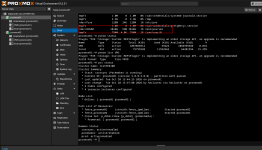
- **Three Proxmox VE 9 hosts on one multipath SAN LUN**, on kernels 6.17 and 7.0: storage paths lost and returned under load, live migration while the guest kept writing, HA restart after a host lost power, snapshots and rollback, backup and restore, disk moves, templates and linked clones, and containers.
- **Two physical Proxmox VE 9 hosts on DRBD**, set up from the guide: a network cable pulled under load and plugged back in.
- **The installed packages** on two Proxmox VE 9 nodes on each kernel: mount, cross-node reads by checksum, reboot with data intact, and a node hung in the middle of a write and fenced by the other.
### What I'd like tested
- Installation and the storage plugin on your own Proxmox VE 9 cluster
- Real VM workloads, repeated live migrations and HA failover
- A host powered off without a clean shutdown, a pulled network or storage cable, one multipath path cut
- Sustained I/O and fsync-heavy workloads
- Anything unexpectedly slow, even when nothing fails
If you're interested, reply with your Proxmox VE version, kernel and storage setup. Please report problems as GitHub issues with the kernel log from every node:
https://github.com/sshoecraft/meshxfs/issues
Feedback on installation, documentation, recovery behaviour and performance is all welcome. Thanks!
I'm looking for testers for **MeshXFS**, an open-source (GPL-2.0) POSIX clustered filesystem built on XFS.
- GitHub: https://github.com/sshoecraft/meshxfs
- Releases: https://github.com/sshoecraft/meshxfs/releases
MeshXFS lets several nodes mount the same block device read-write at the same time, with distributed locking, coherent caching, fencing and journal recovery. On the system it goes by `mxfs`: `mount -t mxfs`, `mkfs.mxfs`, `chk_mxfs`.
### Installing on Proxmox VE 9
Download the latest release's packages from the [Releases page](https://github.com/sshoecraft/meshxfs/releases) and install them on every node:
```bash
apt install proxmox-headers-$(uname -r) ./mxfs_<version>_amd64.deb
apt install ./pve-storage-mxfs_<version>_all.deb # optional: MeshXFS as a storage type in the web UI
```
- `mxfs` is the kernel module (built by DKMS against your running kernel) and the userspace tools. It is all you need to mount; you can then add the mount as shared directory storage with `pvesm`.
- `pve-storage-mxfs` is the Proxmox VE storage plugin. It requires `mxfs`.
The release is verified on the Proxmox VE 9 kernels **6.17.2-1-pve** (the 9.1 installer's) and **7.0.14** (what `proxmox-default-kernel` installs). Check `uname -r` on your nodes: other kernels usually build, but they are untested.
Every node mounting a MeshXFS filesystem must run the **same MeshXFS version**. Give VM disks on MeshXFS `cache=none`, the Proxmox default.
### Configurations to test
**1. Shared SAN.** One iSCSI LUN shared by every node, on a single path or on two paths with `dm-multipath`. Validated at **2, 4, 8 and 16 nodes**, with either lock manager:
- the network lock manager (the default), or
- on-disk locks using SCSI `COMPARE AND WRITE`, with no lock network at all.
The LUN must support SCSI persistent reservations, and for the on-disk locks an atomic `COMPARE AND WRITE`.
When a node dies, hangs, or is cut off from the others, the survivors fence it at the storage with SCSI persistent reservations, replay its journal and keep writing. Tested under load: a node killed, a node hung mid-write, a network partition, one path lost and returned, every path of a node lost.
**2. Two hosts, no shared storage.** Each host's own disk, mirrored with **DRBD 8.4 dual-primary**. The complete, tested setup guide:
https://github.com/sshoecraft/meshxfs/blob/main/docs/drbd-setup.md
A two-host pair has no third vote, so its fencing is deliberately conservative:
- If the replication link breaks, the host with the lower DRBD address carries on. The other freezes, restarts itself and rejoins once it is back.
- If the **lower-address host itself dies**, the survivor cannot tell that from a cut cable. It does not take over: it waits, unmounted, until that host is back.
- To have the survivor take over in that case, give the pair a third vote (a corosync QDevice, `authority=quorum`) or a node fence (IPMI, a PDU). The guide covers both.
### What the current release passed on Proxmox VE
Three separate sets of tests:
- **Three Proxmox VE 9 hosts on one multipath SAN LUN**, on kernels 6.17 and 7.0: storage paths lost and returned under load, live migration while the guest kept writing, HA restart after a host lost power, snapshots and rollback, backup and restore, disk moves, templates and linked clones, and containers.
- **Two physical Proxmox VE 9 hosts on DRBD**, set up from the guide: a network cable pulled under load and plugged back in.
- **The installed packages** on two Proxmox VE 9 nodes on each kernel: mount, cross-node reads by checksum, reboot with data intact, and a node hung in the middle of a write and fenced by the other.
### What I'd like tested
- Installation and the storage plugin on your own Proxmox VE 9 cluster
- Real VM workloads, repeated live migrations and HA failover
- A host powered off without a clean shutdown, a pulled network or storage cable, one multipath path cut
- Sustained I/O and fsync-heavy workloads
- Anything unexpectedly slow, even when nothing fails
If you're interested, reply with your Proxmox VE version, kernel and storage setup. Please report problems as GitHub issues with the kernel log from every node:
https://github.com/sshoecraft/meshxfs/issues
Feedback on installation, documentation, recovery behaviour and performance is all welcome. Thanks!