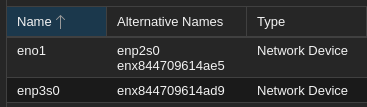
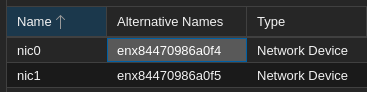
Thanks, not sure how to add ports to a bridge, I'll read that now.
I 'solved' this by working around PVE and just adding a second static route to my router.

It works, I can ping between the subnets of each PVE host. Unsure of how suitable that will be.
Sad thing is the cost of storage right now.
Add as in "add to cluster"(do you already have a cluster? generally 2-node clusters are not stable, you'd probably want a qdevice or third node[1]) or as in "i want guests to communicate over 10.10.10.0/24 with eachother"?
I assume you want to use 10.10.10.0/24 for guests to communicate?
(by "guest" do you mean containers served by the host?)
If so yes, there are 2 nodes, anti is the first node and pve2 is the 2nd node--each host has a 10.10.__.*/24 subnet, where __ is 10 (anti) or 20 (pve2)
10.10.10.0/24 is a subnet for LXCs served by the anti host who gain their internet through a gateway node also on the anti host.
If not, please clearify what you mean with in the same datacenter? Are they connected with a cable, and if not how can they reach eachother?
As stated above, I simply (manually) duplicated this and used a static route on my router to achieve communication between the hosts anti and pve2. I only need to create a separate node on pve2 that only has access to vmbr1 and see if I have the gateway node working properly. By same datacenter I mean:
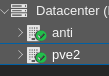
The physical machine each have two nics. I could fashion a short cable to directly connect them too. I don't know how I'd achieve communication between the two then, though, as without a static route I'm lost, but I think that's what each of you is hinting at through a VXLan.
through the same Layer 2 network (physical switch/VLAN). Then create a vmbr1 bridge on the second host and attach it to the corresponding physical NIC.
Okay so this is what I use ip addr to see the names of: NIC device names?