Attachments
Last edited:
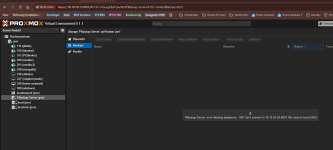
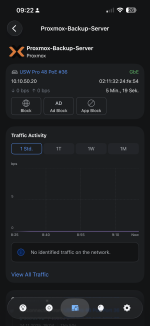
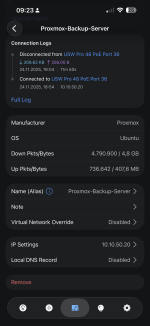
TASK ERROR: could not activate storage 'PBackup-Server': PBackup-Server: error fetching datastores - 500 Can't connect to 10.10.50.20:8007 (No route to host)
Not booted with EFI ist meist harmlos, sofern die VM auf der Synology im Legacy-Modus läuft.Operation was interrupted deutet jedoch darauf hin, dass der Paket-Manager durch den vorherigen Netzwerk-Ausfall mittendrin abgebrochen wurde.dpkg --configure -aapt update && apt dist-upgradehinterher gejagt und klappt.apt full-upgrade -y
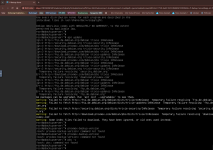
root@pbackupserver:~# dpkg --configure -a
root@pbackupserver:~# apt update && apt dist-upgrade
Hit:1 http://security.debian.org trixie-security InRelease
Hit:2 http://ftp.de.debian.org/debian trixie InRelease
Hit:3 http://ftp.de.debian.org/debian trixie-updates InRelease
Hit:4 http://download.proxmox.com/debian/pbs trixie InRelease
All packages are up to date.
The following package was automatically installed and is no longer required:
proxmox-kernel-6.14.8-2-pve-signed
Use 'apt autoremove' to remove it.
Summary:
Upgrading: 0, Installing: 0, Removing: 0, Not Upgrading: 0
root@pbackupserver:~#

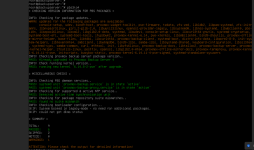
root@pbackupserver:~# apt full-upgrade -y
The following package was automatically installed and is no longer required:
proxmox-kernel-6.14.8-2-pve-signed
Use 'apt autoremove' to remove it.
Summary:
Upgrading: 0, Installing: 0, Removing: 0, Not Upgrading: 0
root@pbackupserver:~#

Couldn't find EFI system partition. It is recommended to mount it to /boot or /efi.
Alternatively, use --esp-path= to specify path to mount point.
run-parts: executing /etc/kernel/postinst.d/proxmox-auto-removal 6.17.2-2-pve /boot/vmlinuz-6.17.2-2-pve
run-parts: executing /etc/kernel/postinst.d/zz-proxmox-boot 6.17.2-2-pve /boot/vmlinuz-6.17.2-2-pve
Re-executing '/etc/kernel/postinst.d/zz-proxmox-boot' in new private mount namespace..
No /etc/kernel/proxmox-boot-uuids found, skipping ESP sync.
run-parts: executing /etc/kernel/postinst.d/zz-systemd-boot 6.17.2-2-pve /boot/vmlinuz-6.17.2-2-pve
Couldn't find EFI system partition. It is recommended to mount it to /boot or /efi.
Alternatively, use --esp-path= to specify path to mount point.
We use essential cookies to make this site work, and optional cookies to enhance your experience.