ParasiticTwin's latest activity
-
PParasiticTwin replied to the thread [SOLVED] lvm resize not.Okay I got perhaps a little ahead of myself... $ sudo vgdisplay --- Volume group --- VG Name ubuntu-vg System ID Format lvm2 Metadata Areas 1 Metadata Sequence No 9 VG Access...
-
PParasiticTwin replied to the thread [SOLVED] lvm resize not.Okay tx.
-
PParasiticTwin replied to the thread [SOLVED] lvm resize not.Tx I'll give that a try. Welp, --Deleted-- The package installed. The procedure appears to have completed: $ df -h Filesystem Size Used Avail Use% Mounted on tmpfs 679M 1.1M 678M 1%...
-
PParasiticTwin replied to the thread [SOLVED] lvm resize not.Hi @Impact tx for your reply. These are the settings for my proxmox server: lsblk -o+FSTYPE,LABEL,MODEL NAME MAJ:MIN RM SIZE RO TYPE MOUNTPOINTS FSTYPE LABEL MODEL sda 8:0 0 1.8T 0 disk zfs_member rpool WDC...
-
PParasiticTwin posted the thread [SOLVED] lvm resize not in Proxmox VE: Installation and configuration.Howdy, Got my proxmox server up and running. Installed FOG and captured an image. Well, it took up almost all of what Provomox allocated default. So I go through finding out about my logical volume using this link: Ubuntu logical Volume...
-
PParasiticTwin replied to the thread [SOLVED] cannot create VMs.Thanks again SOLVED
-
PParasiticTwin replied to the thread [SOLVED] cannot create VMs.Ah so when did that change?
-
PParasiticTwin replied to the thread [SOLVED] cannot create VMs.Well I'd like to be able to use the storage on my install. Adding an external ssd via usb when I don't necessarily need it doesn't appeal to me unless I have nas container, but I don't. # cat /etc/pve/storage.cfg dir: local path...
-
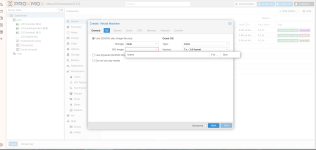
PParasiticTwin replied to the thread [SOLVED] cannot create VMs.Well at that moment I was just trying to do something. Currently, I can create a VM but cannot use storage. Just a blank pulldown root@pve:~# lsblk -o+FSTYPE,LABEL,MODEL NAME MAJ:MIN RM SIZE RO TYPE MOUNTPOINTS FSTYPE LABEL MODEL sda...
-
-
PParasiticTwin posted the thread [SOLVED] cannot create VMs in Proxmox VE: Installation and configuration.Greetings, I recently lost my system drive. not seen by the system gone gone gone. So, I decided to install pve 9.2 using the lates iso. Well that didn't go well at all. kernel modules missing and such. So I went back to faithful 8.4.2. I...
-
PParasiticTwin replied to the thread Proxmox VE 9.0-1 install via Ventoy - kernel panic.got it tx. I'll make sure to delete that file.
-
PParasiticTwin replied to the thread Proxmox VE 9.0-1 install via Ventoy - kernel panic.@uzumo Well, I would like to learn where this parameter is being sourced from. But short of that yes I would like to know the solution. Regards
-
PParasiticTwin replied to the thread Proxmox VE 9.0-1 install via Ventoy - kernel panic.I am using 1,.16 version of Ventoy, last time I checked it is the latest. The reason I am confused (I think). I looked through the install.cfg and do not understand where rdinit=/vtoy/vtoy is mentioned. Interesting, I always use grub2 mode...
-
PParasiticTwin reacted to uzumo's post in the thread Proxmox VE 9.0-1 install via Ventoy - kernel panic with
 Like.
If you really just want to know the solution, that’s fine too. It’s just that, since you’ve already reinstalled it, I thought it would be a good idea to check whether the issue has been resolved in the latest version. If you fix it that way...
Like.
If you really just want to know the solution, that’s fine too. It’s just that, since you’ve already reinstalled it, I thought it would be a good idea to check whether the issue has been resolved in the latest version. If you fix it that way... -
PParasiticTwin replied to the thread Proxmox VE 9.0-1 install via Ventoy - kernel panic.Hello @andreworg, I know that this is an old thread, but I looked through the 20_memtest86+ file and its not clear where to place the code you added above. I just installed 8.4 again. I lost my boot drive. So I decided to start again using...
-
PParasiticTwin reacted to Anexgohan's post in the thread How to recover from 100% disk use with Like.
I made a script to help other out If you end up filling up your space run this with privileged user like root Steps: 1. Set the Paths "SRC_DIR", "DEST_DIR" and "BACKUP_FILE" 2. Run the script and select "MOVE", you need to free up at least...