

Intel B50pro passthrough.
- Thread starter ComfySofa
- Start date
You are using an out of date browser. It may not display this or other websites correctly.
You should upgrade or use an alternative browser.
You should upgrade or use an alternative browser.


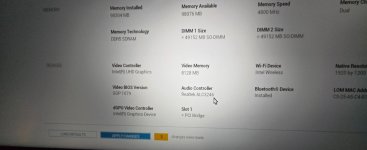
From there i cant see the card...unless im missing something but windows sees it..?
Its a dell precison compact 3260 - theres only one pci slot - the A2000 quadro i had in there before worked fine. Bios is up to date.
Apologies - not sure what you mean by code block?
Its a dell precison compact 3260 - theres only one pci slot - the A2000 quadro i had in there before worked fine. Bios is up to date.
Apologies - not sure what you mean by code block?
Last edited:
Just to add to this (as ive still not got it working) - when the lspci command is used (and it displays the hardware plugged in) is this a hard connection to the hardware.... (just trying to work out why windows sees the card) - and the bios does as well, and Proxmox doesnt.?

In proxmox shell type inHow do i find that? (youre talking to a novice now! )
Edit - i am patched up to the latest version if that helps.
uname -rWhen you tested out with windows, did you install the arc pro drivers? And it showed B50 in the Intel Command Center?
I received my B50 two weeks ago and I had to do a firmware update in windows for it to work fully. Installing the intel arc pro drivers installs the firmware as part of the installation process.
I received my B50 two weeks ago and I had to do a firmware update in windows for it to work fully. Installing the intel arc pro drivers installs the firmware as part of the installation process.
It will work without rebar. This might be a long shot but can you attach the file for this command
lspci -M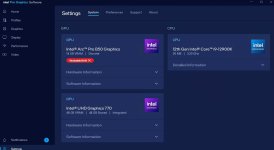

That error is normal. lspci by itself doesn't show everything sometimes.. -M is more thorough. If you can get that output in a text file and attach it.After typing lspci -M - i get something a bit weird...(got the Proxmox disc back in now...)
A few pages of the error pictured....
You ran the wrong command this time. it is capital M not m